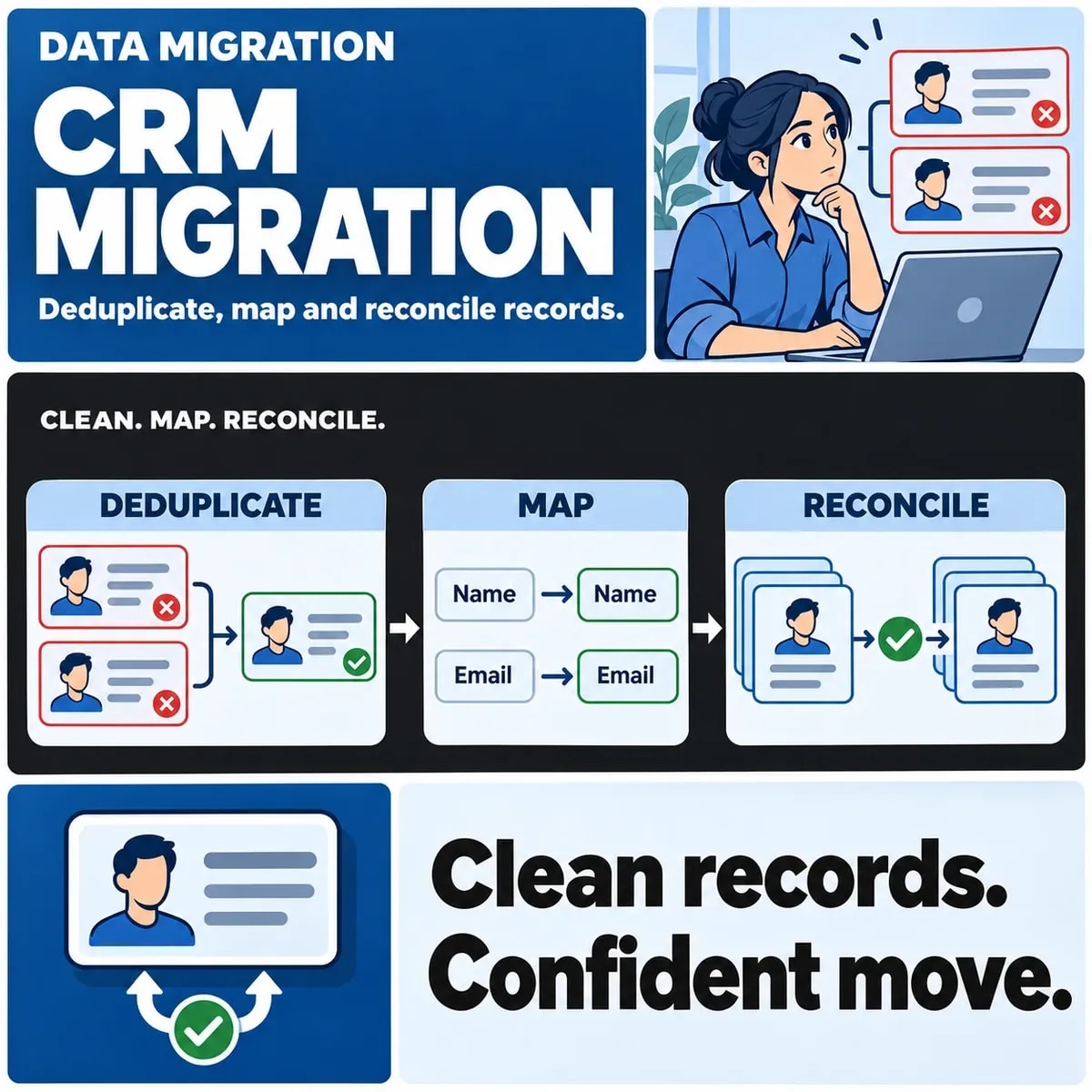

A CRM migration should be accepted when the business can account for the records, relationships and workflows it intended to move. A successful import is only one piece of that evidence. Agree identity rules, map field meanings, test a representative sample and reconcile both completed work and exceptions before switching everyday activity to the new system.
This is especially important when replacing or consolidating systems that have evolved differently. Two records may look similar without representing the same customer, and two fields with the same label may carry different meanings. Those decisions belong in the migration plan rather than being left to whoever prepares the upload file.
Define what must move and what should stay behind
Build an inventory around business objects: contacts, companies, deals, activities, ownership and the relationships between them. Identify which historical information remains useful and which material should follow an agreed retention or archive decision instead of automatically entering the new CRM.
If the CRM move is part of a larger replacement, review the wider legacy modernisation choices before fixing the migration scope.
Include connected processes. A reporting feed, a website form or a sales automation may still update the old CRM while the team is moving data. Record those writers and their handover points. Otherwise an apparently complete export can become out of date before staff begin using it.
Define acceptance with the people who will work in the destination. A sales team may need a reliable company-to-contact relationship, while support depends on the correct account owner and history. Prioritise those usable outcomes rather than treating every field as equally important.
Agree identity and duplicate decisions before import
Choose how the migration identifies the same entity across systems. An existing record ID or an approved cross-system mapping can serve a different purpose from an email address entered by a person. Shared addresses, changed domains and inconsistent company names deserve explicit treatment.
HubSpot's deduplication documentation describes different identity behaviours for its objects and import routes. Use the actual destination contract to understand matching; do not turn a vendor's email or domain rule into a universal definition of customer identity.
Match, merge, keep separate or review
Give ambiguous records a disposition that a business owner can review. “Merge” needs a reason and a rule for conflicting values. “Keep separate” needs enough identity information to prevent the same question recurring later. “Review” should remain visible, with an owner and a decision route.
Keep the source-to-destination relationship even when several source records become one destination record. That history helps explain a count difference and investigate a later question. Deleting the matching worksheet as soon as an import finishes can remove useful acceptance evidence.
Map fields and relationships explicitly
A mapping should describe meaning as well as location. For each important field, record the source, destination, accepted values, transformation, exception rule and approving owner. Check whether a source label such as “active” describes a customer, a subscription or a particular sales process.
HubSpot's import-file guidance is one example of a destination imposing specific formatting and association requirements. Those details should be checked for the chosen platform and import route. Subscription-dependent limits are not general migration rules.
Relationships need their own checks. A correctly imported contact connected to the wrong company can be more disruptive than a visibly rejected row. Specify how parent records are matched, how missing parents are handled and how the relationship will be inspected in the destination.
Distinguish a blank source value from an approved instruction to clear a destination value. Review owner changes, date interpretation and fields used by downstream automation. A transformation that makes a file technically acceptable may still change its business meaning.
Run a representative pilot with business users
Choose a pilot that includes difficult cases, not just the cleanest records. Include related objects, an approved merge, a deliberate exception and a record whose history matters to the user. Keep the test data controlled and avoid distributing unnecessary personal information.
Ask users to perform ordinary work with the result. Can they identify the right organisation, see the appropriate owner and find the information required for the next action? A spreadsheet comparison and a workflow check answer different acceptance questions.
Record defects against the mapping or matching decision that produced them. Correcting one destination record manually may make the pilot look better while leaving the same fault in the full migration process. Review the rule, repeat the relevant check and retain the evidence of what changed.
Also decide how a pilot will be isolated from real communications and automations. Test records should not accidentally trigger customer messages or sales tasks simply because a production-like workflow exists in the destination.
Reconcile counts, values and relationships
Use explicit categories to account for the source population. The following arithmetic is hypothetical; it illustrates a reconciliation method, not a migration performed by ZakCodeX.
- Assume 100 source contacts are in scope.
- Approved matching decisions link 10 of them to existing destination contacts, leaving 90 expected new contacts.
- The migration creates 88 new contacts and records 2 unresolved exceptions.
- The accounted-for source population is 88 created + 10 matched to existing records + 2 exceptions = 100.
The arithmetic explains the difference between a source count and a new-record count. It does not turn the two exceptions into completed work. Each still needs a decision, and the matched records still need checks for the fields or relationships the migration was expected to update.
| Check | What it can establish | What remains to inspect |
|---|---|---|
| Population reconciliation | Every in-scope source record has a recorded disposition | Whether each disposition is correct |
| Representative field comparison | Selected transformations preserve intended values | Cases outside the reviewed sample |
| Relationship check | Related records point to the intended destination entities | Missing, conflicting or exceptional links |
| Business workflow check | Users can complete the chosen process | Other roles and workflows |
A representative permission or communication-preference field may also deserve a specific check. Its acceptance rule should come from the organisation's responsible owner. Do not assume that copying a value establishes its legal meaning or authorises a new use.
Include a deliberate identity trap in the pilot: two fictional contacts share a reception email address but belong to different people. Ask the owner to justify whether they remain separate. A rule that merges them automatically may satisfy an import tool while destroying the business distinction.
Set cutover and acceptance conditions
Document what can change between the approved export and the switch to the new CRM. Agree whether writes pause, are captured for a later update or follow another controlled transition. Include the systems that create records automatically as well as staff entering data.
When connecting the new CRM, identify which systems can still change customer data during the migration window.
Set the conditions for continuing, pausing or rejecting the migration. These should identify critical workflows, the treatment of unresolved exceptions, the evidence location and the person authorised to accept the result. An agreed exception is different from an unexplained discrepancy.
Keep a usable handover record after cutover: mapping versions, matching decisions, reconciliation totals and known follow-ups. The team supporting the new CRM should be able to explain where a record came from without reconstructing the migration from memory.
Discuss data ownership and acceptance evidence for CRM development and migration with ZakCodeX before planning a cutover.