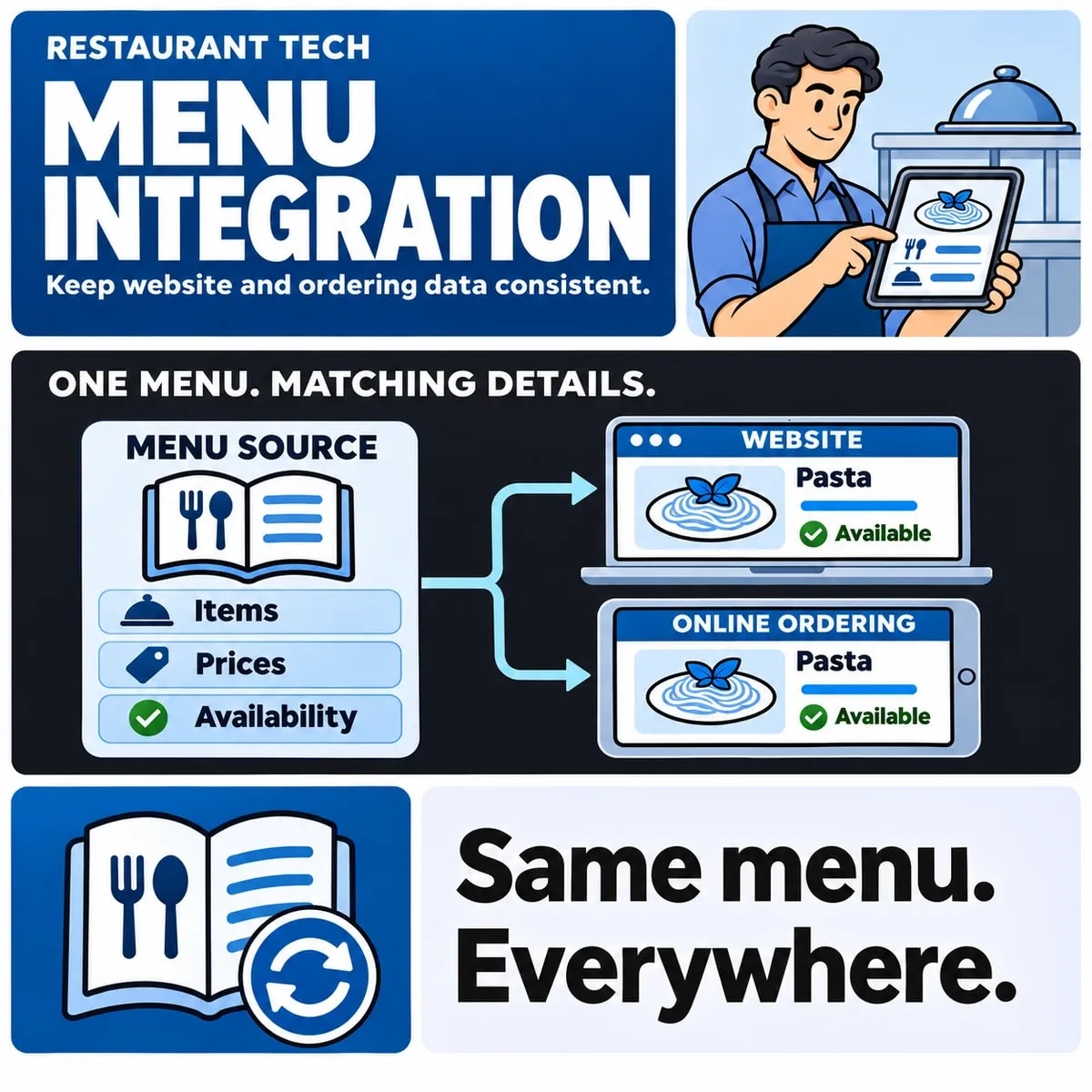

A restaurant menu integration needs clear ownership for item names, prices, modifiers and availability. Map stable identities between the POS, ordering platform and website, then define what happens when a change fails or someone edits the wrong system. A menu looking correct once does not establish that later updates will remain consistent.
Start with the actual publishing route. A website displaying a menu, a site linking to an ordering provider and a custom ordering integration have different responsibilities. The scope should make those boundaries visible.
Name the source of truth for menu fields
Decide where each important field is maintained. The POS may own prices and sellable item states, while another approved system supplies website descriptions. A single declaration that “the menu syncs” can conceal several ownership rules.
Innovorder's catalogue synchronisation documentation illustrates the need for an explicit integration model. Confirm the actual provider contract and account capability rather than assuming every POS offers the same connection.
Record who may change each field and where corrections belong. If the integration overwrites a website field from the POS, editing that field only on the website is unlikely to be a durable correction.
Agree which information is included in the scope. Menu presentation may involve images, descriptions and other content as well as ordering data. Responsible restaurant staff should approve substantive food and dietary information; synchronising a field does not verify the accuracy or suitability of its contents.
Map item and modifier identities
Use stable item and option identifiers. Names alone can be ambiguous: two items can share a label, and a renamed dish can still be the same sellable item. Keep the mapping when display text changes.
Agree identifiers, change ownership and reconciliation before implementing menu data integration.
Modifiers need relationships as well as labels. An option may belong to a particular item or group, with provider-specific selection rules. Removing an option from one dish should not accidentally remove an unrelated option that happens to have the same name.
Record channel or location distinctions where they apply. A price or availability decision for one branch should not silently become a global change. If the provider supports different channel pricing, specify the intended mapping rather than assuming all displayed prices are identical.
Choose what happens to unmapped items. Holding them for review may be preferable to guessing an existing match, but the restaurant needs a visible queue and owner. A new item should not quietly fail to appear while the integration reports a general success.
Define updates, removals and time-based availability
Separate editing an item from temporarily stopping its sale and permanently removing it. A sold-out dish may need to remain in the catalogue while no longer being offered for ordering. Deleting it can lose relationships or history the connected systems still need.
Define availability by the actual platform's supported model. A scheduled menu, a location closure and an item-level stop are different facts. The website should reflect the relevant source rather than infer availability from a cached menu alone.
Decide when the customer sees a price change and what happens to an existing basket. The provider may have its own recalculation or validation rules. Have the restaurant approve the intended experience and test it under the supported contract.
For removed modifiers, inspect the parent item and any current ordering journey. A catalogue update can succeed while leaving an old basket referring to an option that is no longer available. Define the correction message rather than allowing an unexplained checkout failure.
Plan failed syncs and conflicting edits
Distinguish the source changing, the integration reading that change and the destination applying it. Keep enough evidence to identify where an update stopped. An overall “last synced” time can be insufficient when only part of a catalogue changed successfully.
Include visible availability and failed-sync handling in the scope of restaurant website development.
storekit's POS menu-sync guidance describes authoritative editing locations and different synchronisation arrangements. Use the actual mode selected for the restaurant. Do not assume that manual and automatic updates behave alike.
Consider a hypothetical website-only price edit that is overwritten at the next POS refresh. The issue may be an ownership mistake rather than a transport failure. Correct the authoritative source or change the approved mapping; repeatedly editing the losing copy will not resolve the conflict.
Define the response to stale data. Depending on the integration, the business may need to pause affected ordering, show an appropriate availability message or escalate for correction. Choose the policy with the restaurant rather than silently continuing to offer an item on unverified terms.
Use a menu-change acceptance catalogue
The following illustrative cases form a practical acceptance aid. They are not results from a deployed POS or a claim of a vendor partnership.
- Price change: update the same item identity and compare intended channels under their pricing rules.
- Modifier change: move or remove an option and inspect its item relationship and ordering behaviour.
- Temporary unavailability: stop offering the affected item while preserving the intended record.
- Conflicting edit: show how a website-only change is handled at the next authoritative refresh.
- Failed update: expose the supported status and route the unresolved item to an owner.
Add a case for an update affecting only one location. Confirm that the website and ordering destination refer to the same branch. A perfectly synchronised catalogue for the wrong location still produces the wrong customer journey.
Review a repeated update and a partial failure. The result should not create duplicate options or leave the team believing that every item changed when some were rejected. Compare item identities and values, not only the number of menu entries.
Use approved test arrangements and controlled orders if order creation is part of the scope. A display-only check should not be described as evidence that kitchen, payment or fulfilment workflows also work.
Use a fictional lunch item with an optional side to test a mid-journey change. The customer adds the item, then staff mark the side unavailable in the authoritative system. Inspect the refreshed menu, existing basket and final supported ordering validation. Decide what message explains the changed option and whether the customer must make a new selection.
Keep that case distinct from the main item selling out. Removing one modifier should not automatically remove the whole dish unless that is the restaurant's intended rule. The item and relationship identities provide the evidence needed to explain the difference; matching only the visible option label can hide it.
Connect menu operations to the restaurant website scope
Bring the menu ownership map, provider access details and change catalogue into planning. Name the person who approves menu content and the person who resolves integration exceptions.
The website scope should explain where customers see the current menu, where they order and what the business does when a change cannot be confirmed. That provides a maintainable operating process beyond the initial menu import.
Discuss field ownership and update checks for restaurant website and ordering integration with ZakCodeX.