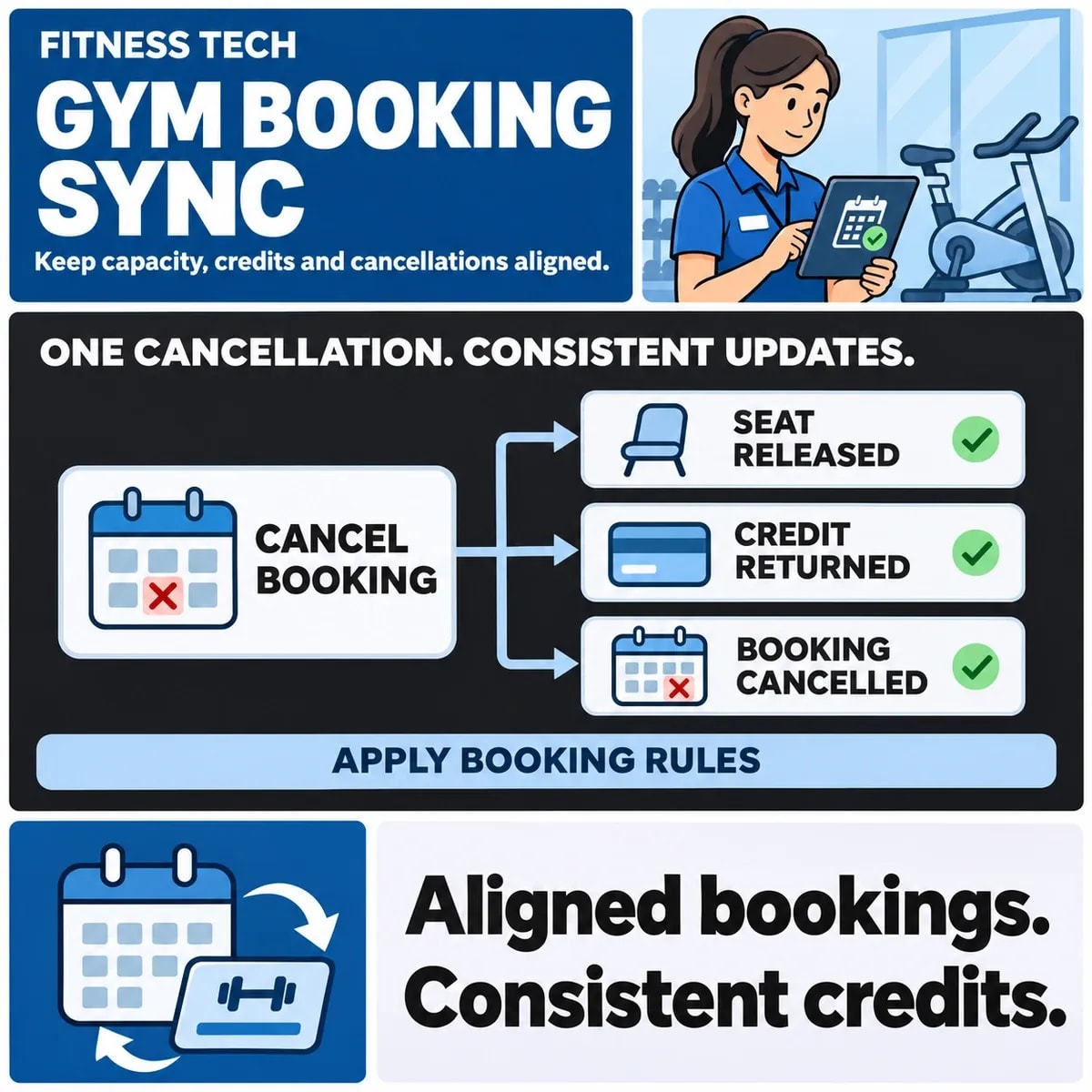

A gym booking integration must coordinate seats, membership entitlements and booking status. Agree how each changes when a member books, cancels or moves from a waiting list. One booking event can affect several records, and a partial failure should not leave the website claiming a result the booking platform has not confirmed.
Start with the gym's actual platform settings and policies. Cancellation windows, credit allocation and waiting-list behaviour vary; they should not be invented by the website integration.
Define seats, entitlements and booking status separately
A seat describes class capacity. An entitlement describes what the member may use, such as a credit or membership benefit. Booking status describes the relationship between that member and that class. None of these is a complete substitute for the others.
A member may have an entitlement while a class is full, or a place may become available while that member is not eligible to book it. Make the website's messages reflect the decision the platform can actually confirm.
Mindbody's API release notes illustrate why integration behaviour must be checked against the current platform contract and settings. Do not assume every gym account exposes the same operations or handles entitlements identically.
Record the identifiers for the member, class occurrence and booking. A repeating class title is insufficient to distinguish next week's session from this week's. Keep location, instructor changes and time interpretation explicit where they affect the booking.
Agree reservations and waiting-list behaviour
Decide when a place becomes committed. A user selecting a class on the website may not yet hold a seat. State whether the platform supports a temporary reservation and what evidence confirms the booking.
Waiting lists introduce another transition. Define ordering, promotion and acceptance according to the actual platform and gym policy. Do not promise a place merely because a cancellation occurred if another member is entitled to the next offer.
Octiv's booking troubleshooting guidance provides examples involving credits and waiting lists. These are distinct states to inspect, not a universal waiting-list policy for all gyms.
Check entitlement when promotion occurs under the supported workflow. A member's situation may have changed since joining the list. The interface should describe the confirmed outcome rather than interpreting an offer or pending action as a completed booking.
Specify normal and late cancellations
Define the cancellation rule, who owns it and which system applies it. Seat release and credit return are separate effects. A cancellation may free capacity without returning an entitlement, depending on the gym's approved policy.
Identify which rules genuinely require custom booking workflows and which belong in existing platform settings.
Kilo's reservation and credit guidance illustrates how credit allocation and cancellation rules can interact. Verify the rules of the chosen system rather than copying another platform's timing or return behaviour.
Give staff exceptions an explicit route. If a manager may waive a late-cancellation consequence, record how that decision reaches the authoritative system and how the website learns the result. A local website edit should not silently conflict with the platform ledger.
Also plan a class cancelled by the gym. It can affect many members and may require different communications or entitlement decisions from a member cancelling one booking. Keep those event types distinguishable.
Handle duplicate events and partial failures
A repeated event should not release the same seat or return the same credit twice. Identify the underlying booking operation and preserve enough outcome evidence for replay and investigation.
Assign event ownership and reconciliation during booking system data integration.
Consider a fictional cancellation accepted by the platform while the website loses its response. The website should investigate that booking before presenting a second cancellation as a new operation. A timeout does not establish whether the seat or entitlement changed.
If one effect completes and another fails, show the distinction to operations. “Booking cancelled; credit outcome awaiting review” may describe the evidence more honestly than a blanket success or failure. The exact wording should match the platform contract and member-facing policy.
Keep class capacity and member state reconcilable. A list of occupied seats cannot explain every entitlement discrepancy, and a credit balance cannot prove which class a member is booked into.
Use the booking event ledger
This hypothetical ledger is a workshop aid. It does not prescribe a cancellation window or claim that any real platform has been tested.
| Event | Seat effect to define | Entitlement effect to define |
|---|---|---|
| Booking confirmed | Commit capacity under the platform rule | Commit the appropriate entitlement if required |
| Normal cancellation confirmed | Release the seat once | Apply the approved return rule once |
| Late cancellation | Apply the class capacity policy | Apply the separate late-cancellation policy |
| Duplicate cancellation event | Do not release capacity again | Do not return the same credit again |
| Waiting-list promotion | Confirm the actual booking state | Verify the required entitlement through the supported route |
Review the member message for each row. Someone on a waiting list should not receive the wording used for a confirmed attendee. A cancellation acknowledgement should explain any pending consequence without inventing a balance.
Acceptance cases should include two members seeking the last seat, repeated cancellation, a staff exception and a failed response after a platform change. Inspect the authoritative booking and entitlement records alongside the website.
Add a rescheduled class to the review. A time change may preserve the same booking identity, while moving a member to another occurrence may require a separate transfer operation. Confirm which behaviour the platform supports and how capacity and entitlement remain accounted for. Sending a new confirmation message does not itself move the booking.
Choose a reconciliation view that reception staff can use during an enquiry. It should identify the member's class occurrence, confirmed status and relevant entitlement operation, while respecting the staff member's permitted access. A technical event log alone may be insufficient to explain whether the member may attend.
Try a promotion that loses eligibility partway through the journey. A fictional member joins a waiting list with a valid entitlement, but that entitlement changes before a place becomes available. Ask whether the platform confirms, holds or rejects the promotion and what reception can see. The website should follow that supported result rather than deducting a credit independently to make the screen appear consistent.
Record the source of class times as well as booking identities. A timetable edit should update the intended occurrence without moving a different recurring session. Include the time representation in the mapping so staff and members interpret the same class date.
Scope the gym website connection around the rules
Bring the class types, membership rules, cancellation policy and platform access details into planning. Identify which decisions are configured in the booking platform and which require website work.
Assign one operational route for mismatches so reception staff and technical support do not make contradictory corrections. The goal is a booking journey whose promises match the confirmed state and whose exceptions have an owner.
Discuss your booking policy and gym website integration requirements with ZakCodeX before connecting the platform.