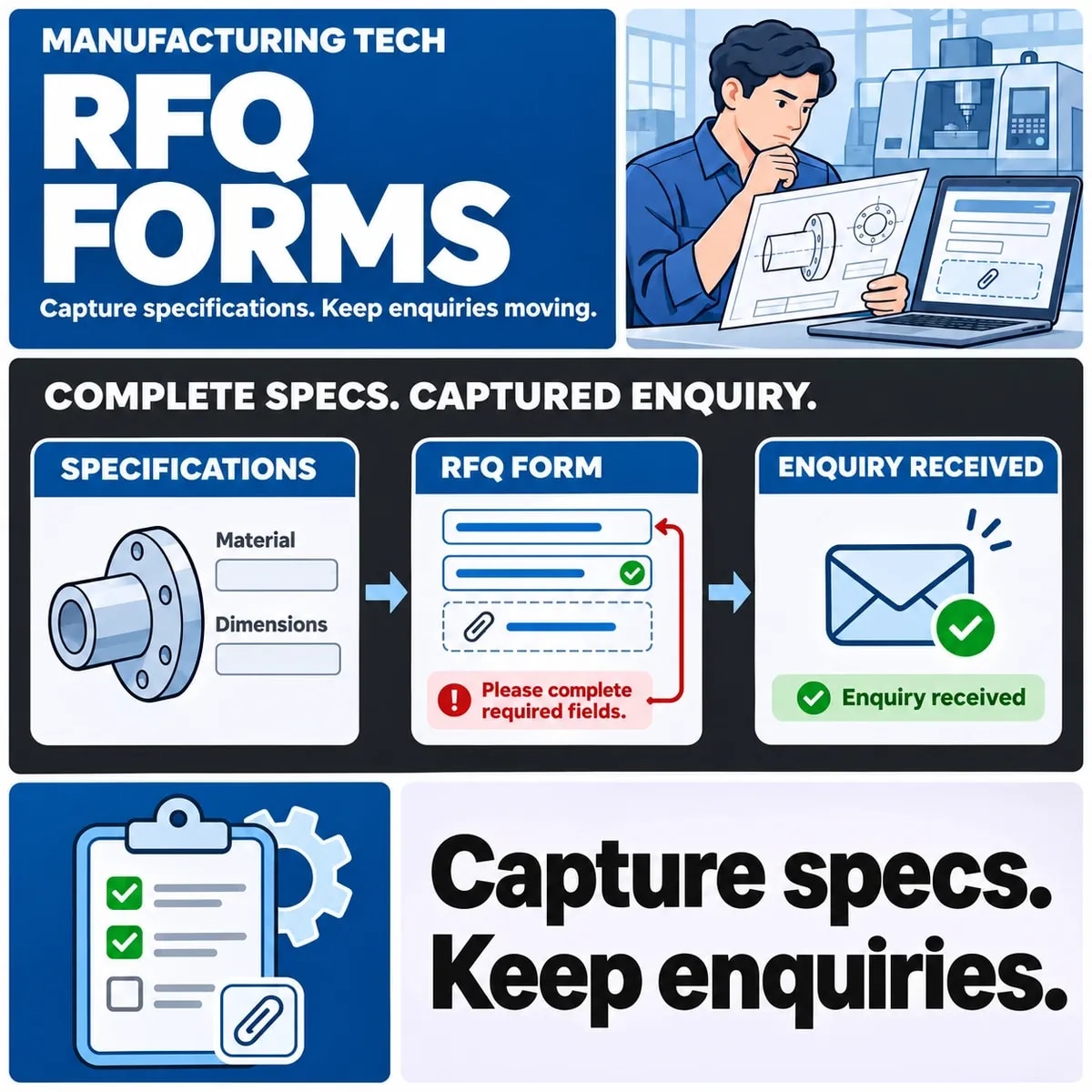

A manufacturing RFQ form should collect enough information for the right team to assess an enquiry, while making missing specifications and failed uploads visible. Separate information needed immediately from details that can be clarified later. Do not display a complete submission message when a drawing required for the enquiry was never received.
The useful form depends on the manufacturing process. A worksheet agreed by sales and engineering is a better starting point than copying a generic contact form or requiring every possible technical field.
Define who uses the RFQ and what they need first
Identify the first decision after submission. Sales may need to route the enquiry to a process specialist, while engineering needs enough information to judge whether a quotation can be prepared. These are related tasks with different information needs.
A manufacturer's published quotation requirements provide a process-specific example of the information a supplier requests. Treat it as an example, not a universal field list for every manufacturer.
Consider a fictional enquiry for a machined component. A contact route, quantity, drawing revision and material information may help assess it. Which of those is mandatory at first contact should be decided by the manufacturer that will handle the work.
Also define what the form does not decide. Submission need not promise a price, delivery date or acceptance of the job. The acknowledgement should explain the next operational step without creating an unsupported commitment.
Choose required-now and ask-later fields
Review each proposed field with the people who use the answer. Ask whether its absence prevents routing, prevents assessment or merely creates a follow-up question. Make required fields correspond to those decisions rather than collecting information because it might be useful someday.
| Information | Decision to agree | Submission evidence |
|---|---|---|
| Contact and enquiry purpose | Enough to route and respond | Enquiry reference and responsible team |
| Quantity and required date | Required initially or clarified later | Submitted values, including explicit uncertainty |
| Drawing and revision | Needed now, optional or supplied through another route | Accepted file reference or visible missing-file status |
| Material, finish and tolerance | Conditional on the actual process | No silent default for an unspecified requirement |
| Upload failure | Retry or supported alternative handoff | Clear outcome for both file and enquiry |
This is a hypothetical starting worksheet. For another process, different specifications may matter. Use conditional questions where they help the person submit relevant information without navigating unrelated technical fields.
Allow honest uncertainty where the business can handle it. An explicit “to be confirmed” may be more useful than forcing someone to enter a guessed tolerance or date merely to pass validation.
Plan drawing identity, revision and uploads
Keep the drawing or model associated with the enquiry, its part reference and revision. A filename alone may not identify which version engineering should assess, especially when a replacement arrives later.
MFG's RFQ file guidance illustrates the role of design and manufacturing files in quotation requests. Confirm the formats and supporting information the actual receiving team can use; do not assume every manufacturer accepts the same files.
Define supported upload constraints and present them before the user invests time in submission. If a file cannot be handled through the form, provide the manufacturer's approved alternative rather than allowing an unsupported attachment to disappear.
File handling also needs a technical design. OWASP's file-upload guidance describes multiple defensive controls rather than relying on a filename extension alone. Have the implementation team assess validation, storage, access and processing for the actual formats and environment.
Keep access proportionate to the workflow. A drawing may contain commercially sensitive information. The form should route it to the intended team through the organisation's approved arrangements, not create an unrestricted public file location for convenience.
Design upload failure and enquiry confirmation together
Choose whether an enquiry may be accepted without its expected drawing. If it can, show that the enquiry was received but the file remains missing. If it cannot, explain what must be completed before submission succeeds.
Include form confirmation and attachment failure in the scope of business website development.
Consider a slow connection where the text submission succeeds but the file upload fails. A single green success banner can mislead both the sender and sales. Record separate outcomes with a shared reference so a later replacement file can be matched correctly.
Handle repeat submissions deliberately. Someone who sees no confirmation may try again. The receiving team should be able to recognise a repeated enquiry or a linked revision without treating every attempt as an unrelated sales opportunity.
Test the confirmation route too. An on-screen reference and an email acknowledgement can fail independently. Define what the user can rely on and how staff investigate a missing acknowledgement without assuming the enquiry itself was lost.
Route the RFQ into the sales workflow
Name the owner of a new enquiry and the route for technical assessment. Decide which fields determine assignment and what happens when the request cannot be categorised automatically.
Agree the accepted data and responsible owner before implementing CRM enquiry routing.
The receiving record should preserve the submitted values and file references. If staff clarify a requirement, distinguish the clarification from the original submission. That prevents engineering from quoting against an unexplained mixture of versions.
Plan a visible status for incomplete enquiries. “Waiting for drawing revision” is more actionable than an untouched message in a shared inbox. Define who follows up and how the case is closed or returned for assessment.
Avoid promising a universal quotation turnaround in interface copy. If the manufacturer has an approved service commitment, use its actual terms and applicable conditions. Otherwise describe the next step accurately.
Test a replacement drawing against an enquiry already under assessment. In the fictional machined-part request, revision B arrives after engineering started reviewing revision A. The receiving workflow should identify the new revision and the decision it affects. It should not silently replace a file while leaving the quotation task pointing to the old assumptions.
Ask engineering what evidence they need before continuing. The answer might be a linked revision notice and a restarted assessment, rather than a second unrelated enquiry. Sales should be able to tell the sender which revision is being considered without opening every attachment and guessing from its filename. Keep this handover rule in the form scope if the website accepts later files.
Review the field map with sales and engineering
Walk a representative fictional enquiry through the form and the receiving workflow. Include a missing specification, an unsupported file and a replacement revision. Ask both teams whether they can identify the next decision and its evidence.
Use that review to agree the field map, file rules, confirmation states and routing responsibilities. The result is a scoped enquiry process that helps staff assess the request and gives the sender an honest account of what was received.
Discuss the quote handoff and manufacturing website requirements with ZakCodeX alongside your sales and engineering teams.