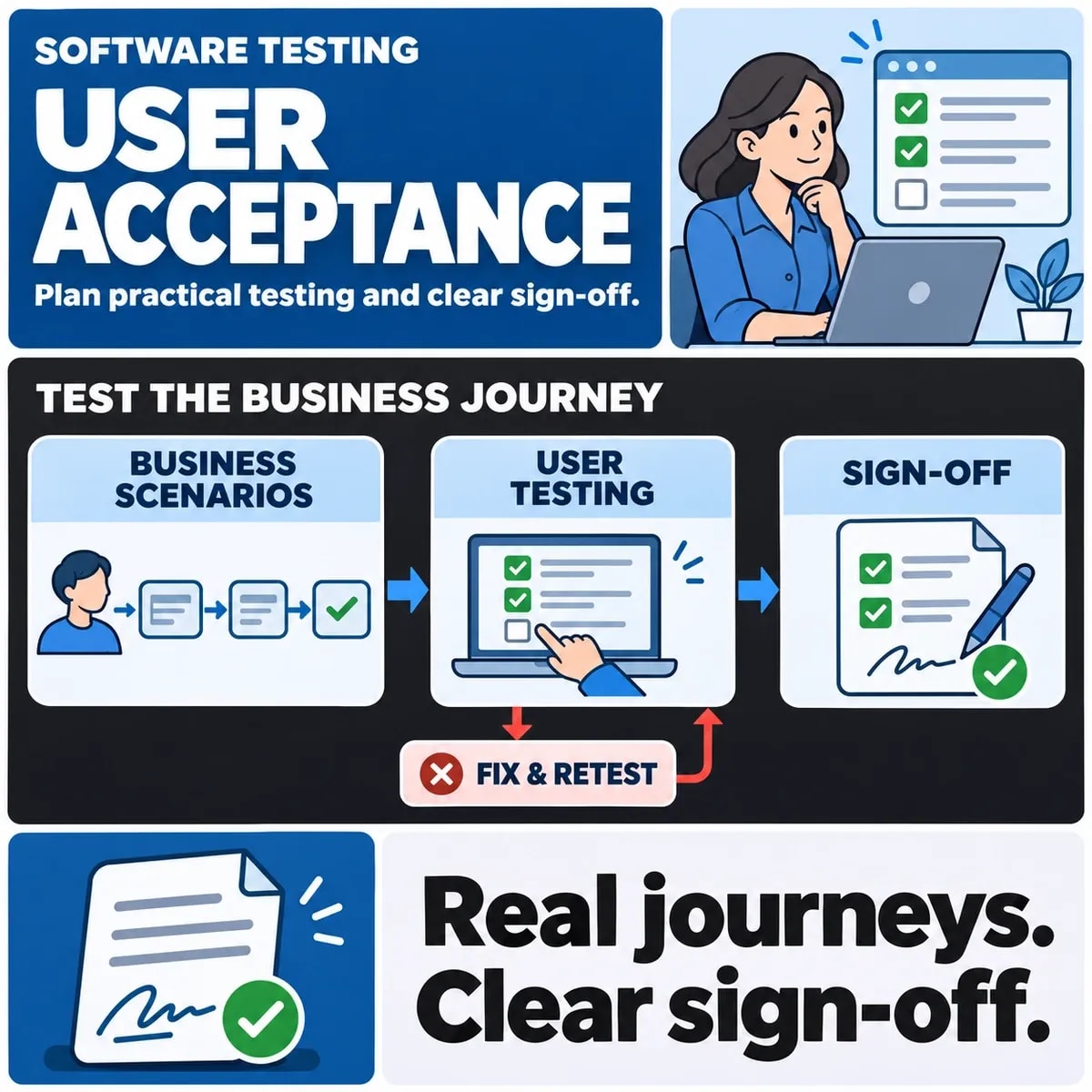

A useful user acceptance testing plan connects representative business scenarios to expected outcomes, evidence and a named release decision. It also records defects and accepted exceptions separately. The approver should be able to explain what users checked, what happened and what remains unresolved.
UAT is easier to manage when it starts with the work the software must support. A list of screens or a percentage of passed cases can conceal a critical broken workflow. Define the business decision first, then choose scenarios that provide useful evidence for it.
Define the business decision UAT must support
State the release boundary: which users, workflows and changes are being accepted. Identify who owns that decision and who supplies specialist evidence. A product owner may coordinate the review, while an operations manager understands whether staff can complete the affected process.
Agree what business acceptance means within the contract for custom software delivery.
Microsoft's implementation guidance on test types places user acceptance within validation of business use. Its Dynamics examples are context, not a universal sign-off standard. Your plan still needs the people and acceptance rules appropriate to the software being delivered.
Agree what decisions are available. These might include acceptance, rejection or acceptance with explicitly named conditions. Define who can accept a remaining issue and which issues must be resolved first. Do not assume that every tester has authority to release the software.
Make the evidence location part of the plan. The final approver should not have to reconstruct the review from separate messages, screenshots and conversations. References to controlled test records can keep the decision clear without spreading sensitive business data.
Choose representative workflows and test data
Select complete journeys. In a fictional purchase-approval application, a requester submits an order, a reviewer makes a decision and an authorised operations user sees the resulting status. Testing those screens independently would not establish that the handover between them works.
Use the business workflows identified during software discovery work as the starting point for representative acceptance scenarios.
Include different roles and business conditions. An ordinary successful case is useful, but so is a rejected request, an invalid input and a workflow that must recover after interruption. Choose the cases because of their relevance and risk, not merely because they are easy to demonstrate.
Use controlled test data that resembles the required situations. If production information is necessary for a particular approved review, its use needs the organisation's actual access and handling arrangements. Do not casually copy customer records into an acceptance spreadsheet.
Record the environment and important differences from production. Missing integrations, simplified permissions or an unavailable feature can limit what a result demonstrates. Make those limits visible instead of treating a prototype exercise as evidence for the full operating process.
Write scenarios with observable expected outcomes
A scenario needs an actor, starting condition, action and expected business result. “Check the approval page” is difficult to assess. “An assigned reviewer rejects a submitted request and the requester sees the agreed rejected status” is a clearer statement of intended behaviour.
What the user does
Describe the important steps without turning the scenario into an unnecessarily rigid click script. The tester needs enough information to exercise the intended process, while still being able to notice confusing behaviour or a missing decision in the workflow.
What evidence demonstrates the result
Specify the status, related record or downstream observation that matters. A screenshot showing a loaded page may not demonstrate that an order reached the intended team. Identify which evidence can establish the outcome and who can inspect it.
Write expectations before reviewing the delivered behaviour. Otherwise the team can unconsciously redefine success around what the software happens to do. If the business requirement changes, update the scenario and record that change rather than silently adjusting the expected result.
Record defects and accepted exceptions separately
A defect describes a difference between the agreed outcome and the observed result. Record its business effect, the affected scenario and enough controlled evidence to investigate it. An unexplained “failed” label gives the delivery team little direction.
An accepted exception is a decision about an identified issue. It needs an accountable owner, a rationale and any agreed condition or follow-up. It should not be used to conceal a missing requirement or to make a test summary appear complete.
In the fictional approval application, the team might accept a non-critical display issue with a documented correction plan. A broken rejection transition could prevent the intended business process and remain a release blocker. These are illustrative judgments, not a rule that every display issue is harmless.
A passed average can be misleading when scenarios have different consequences. Review results by workflow and risk as well as by total. The decision record should explain why an outstanding issue is acceptable or unacceptable for the actual release boundary.
Use a release sign-off record
A compact record can connect the review to a decision without repeating every test step. The following structure is a hypothetical planning aid:
- Release and scope: the version, environment, users and workflows being considered.
- Scenario evidence: the cases reviewed, their outcomes and controlled evidence references.
- Outstanding issues: defects, unresolved questions and separately approved exceptions.
- Decision and authority: who accepts, rejects or attaches conditions, with the reason.
- Follow-up: named owners and the evidence needed to close remaining work.
For the fictional application, attach the approved and rejected request scenarios to the record. If a corrected build changes the approval process, identify which results need checking again. Earlier evidence should not automatically be carried over to behaviour that has changed.
Also document what was not covered. A particular integration, role or data condition may remain outside the review. This is a practical limit on reliance, not a reason to fill the record with a broad statement that “all testing passed”.
Add an approval handover to the fictional scenario. The original reviewer becomes unavailable after submission, and the request is reassigned under the agreed rule. Ask a business tester to confirm who may act and what the requester sees. If the release changes this path, preserve the earlier result as history and identify the replacement evidence. This demonstrates why a test record needs a workflow and version boundary, rather than simply a screenshot of an approval button.
Keep UAT connected to the wider testing scope
Business acceptance is one source of release evidence. Security, integration, performance and other specialist checks answer additional questions. The people making the release decision need to know which evidence is available and which responsibilities remain elsewhere.
Do not ask business testers to infer a security or capacity conclusion from ordinary workflow use. Conversely, an automated technical test does not establish that staff understand the operating process or can perform their work with the delivered product.
After a change, use the original business scenarios to choose relevant regression checks. A sign-off record should remain understandable after the project conversation has moved on. The valuable outcome is a release decision that can be traced to evidence and accountable judgment.
Discuss UAT responsibilities and the wider scope of your software testing plans with ZakCodeX.