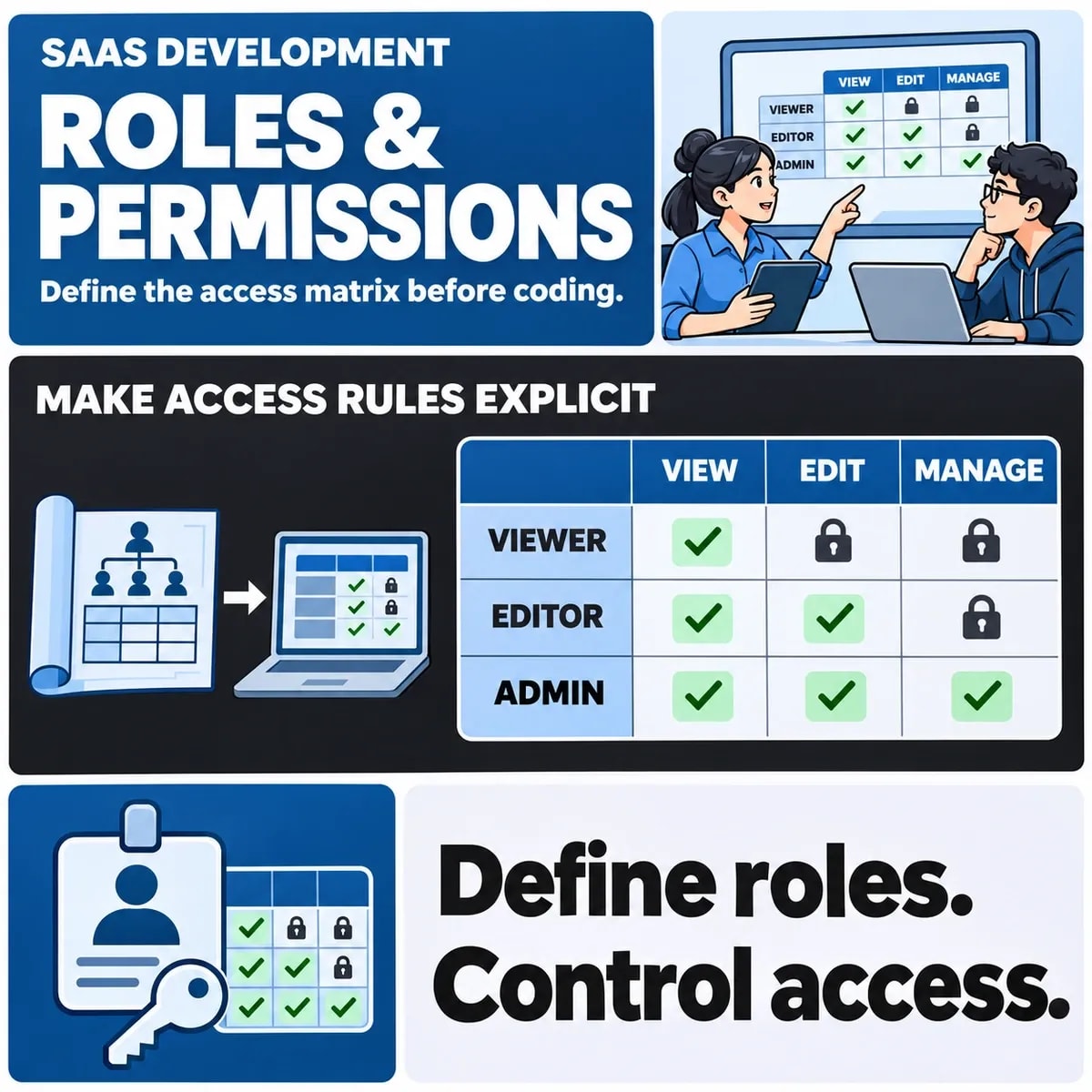

Build a SaaS access matrix from business actions and resource scope before assigning role names. Record who may perform each action, which records it covers, and who can grant or revoke that permission. The matrix should describe an enforceable policy, not simply which buttons appear on a screen.
A small, reviewed model is more useful than a large spreadsheet of unexplained ticks. Product owners need to understand the decisions, engineers need rules they can implement, and testers need expected outcomes. The same document can support all three when it connects each permission to a real workflow.
List actions and resource ownership before naming roles
Start with verbs: view, create, amend, submit, approve, export, invite and administer. Ask what each means in the product. Viewing a summary is different from downloading the underlying records, and approving a request is different from changing the policy that governs approval.
Map approvals and administration alongside custom business workflows so each permission has a business reason.
Use actual business responsibilities to decide where actions should be separate. In a fictional document-approval service, an author creates a draft and a reviewer decides whether it can proceed. That does not automatically mean the reviewer can edit every draft or invite another administrator.
Name resource ownership too. A document may belong to an individual, a team or the tenant organisation. Ownership is an input to the access decision, rather than an incidental label added after the permission model is finished.
Keep a question column for unresolved decisions. “May a reviewer approve their own submission?” needs a business answer. It should not become an accidental permission merely because the first implementation uses one broad reviewer role.
Add tenant and record scope to every permission
A role name alone leaves important questions open. “Editor” might mean someone can edit their own records, assigned records or every record in the organisation. Write the scope beside the action and identify the conditions that narrow it.
OWASP's authorisation guidance supports explicit access rules and enforcement beyond the presentation layer. A disabled control should therefore be treated as an interface decision, not proof that the underlying operation is denied.
Tenant administrators versus platform operators
Keep customer administration separate from operating the whole service. A tenant administrator may manage colleagues within one organisation. A platform operator may need a narrowly authorised support capability. Describing both as “admin” makes it difficult to see which boundary a permission crosses.
Consider the context of a request as well as the account making it. A person who belongs to several organisations may hold different roles in each. The policy should explain which tenant and resource are being acted on, including when a job or export runs later.
Record exceptions explicitly. If temporary access is needed for a particular customer investigation, define its approver, scope and end condition. Quietly expanding a standard role can leave the exceptional access in place for everyone who receives that role later.
Write the first role-and-action matrix
The following example uses a fictional approval product. Its role names and decisions are illustrative; they are not a recommended policy for every SaaS application.
| Role and action | Resource scope | Decision to agree |
|---|---|---|
| Author amends a draft | Own draft in the current tenant | Allow while the record is in an editable state |
| Reviewer approves a submission | Assigned submission in the current tenant | Allow the approval action under the agreed separation rule |
| Tenant administrator invites a user | The tenant's membership | Require the explicit membership-management permission |
| Former member opens an export | A file created before access was revoked | Apply the agreed current-access policy |
| Support operator inspects an issue | The approved investigation context | Record the authorised scope and expiry |
Write deliberate denials beside the grants. For example, permission to approve a document does not imply permission to change another person's role. A useful matrix makes that boundary visible instead of expecting the implementation team to infer it from a blank cell.
Give each row a short explanation where the business reason is not obvious. The note should help someone maintain the policy later, not merely justify the first release. Link the row to the workflow or requirement it supports so it can be reviewed when that workflow changes.
Define grants, revocations and exceptions
Specify who may give someone a role, whether approval is required and what the recipient can do before accepting an invitation. Include changes in responsibility, departures and movement between teams. Access has a lifecycle, not just an initial assignment.
Revocation should have a defined effect on the product's different surfaces. Ask about active sessions, scheduled work, generated files and integration accounts. The required behaviour may differ by operation, but those differences should be decisions rather than undocumented surprises.
For exceptions, record the purpose and review condition. An exceptional grant could end after a support case closes or at an agreed time. Do not invent a universal expiry period; choose one appropriate to the actual process and the capabilities available.
Also decide how the team reviews accumulated permissions. If a user changes role, should the old permissions be removed or combined with the new ones? A policy that only adds access can drift away from the person's current responsibilities even when each individual grant once made sense.
Turn each permission into a backend acceptance case
Build paired cases: an actor who should be allowed and an actor who should be denied. Keep the requested operation and resource clear. That makes it easier to distinguish a permission failure from a broken page, a missing record or an unrelated validation error.
For the fictional author, check their own editable draft, another author's draft and a draft that has moved into a non-editable state. For the reviewer, check an assigned submission and one outside their permitted scope. These cases turn a broad role description into observable decisions.
Include direct requests and background operations where they exist. Testing only the expected screen navigation can miss a route that behaves differently. Use an authorised environment and controlled records; this article proposes acceptance requirements, not an executed assessment.
Keep the results tied to the reviewed policy version. When a permission rule changes, identify which cases need another review. A passed case against an earlier role model is not evidence that the new model behaves correctly.
Try the matrix with a fictional team manager who changes teams. List which old records remain readable, which new records become assigned and whether pending approvals transfer. This reveals whether the role describes a stable capability or accidentally carries yesterday's assignments with it.
Agree the matrix before implementing workflows
Place the access matrix within the broader work of agreeing requirements before coding.
Review the first matrix with someone who owns each business decision. Ask them to explain the grants, denials and exceptions using ordinary work examples. An unexplained permission is an opportunity to clarify the product before it becomes an implementation dependency.
Keep the result small enough to use. A concise matrix with defined scope, change rules and acceptance cases is easier to maintain than a long catalogue of role names. It also gives the delivery team a clearer way to discuss a new feature without reopening the entire access model.
Discuss your SaaS access model with ZakCodeX before roles become hard-coded assumptions.