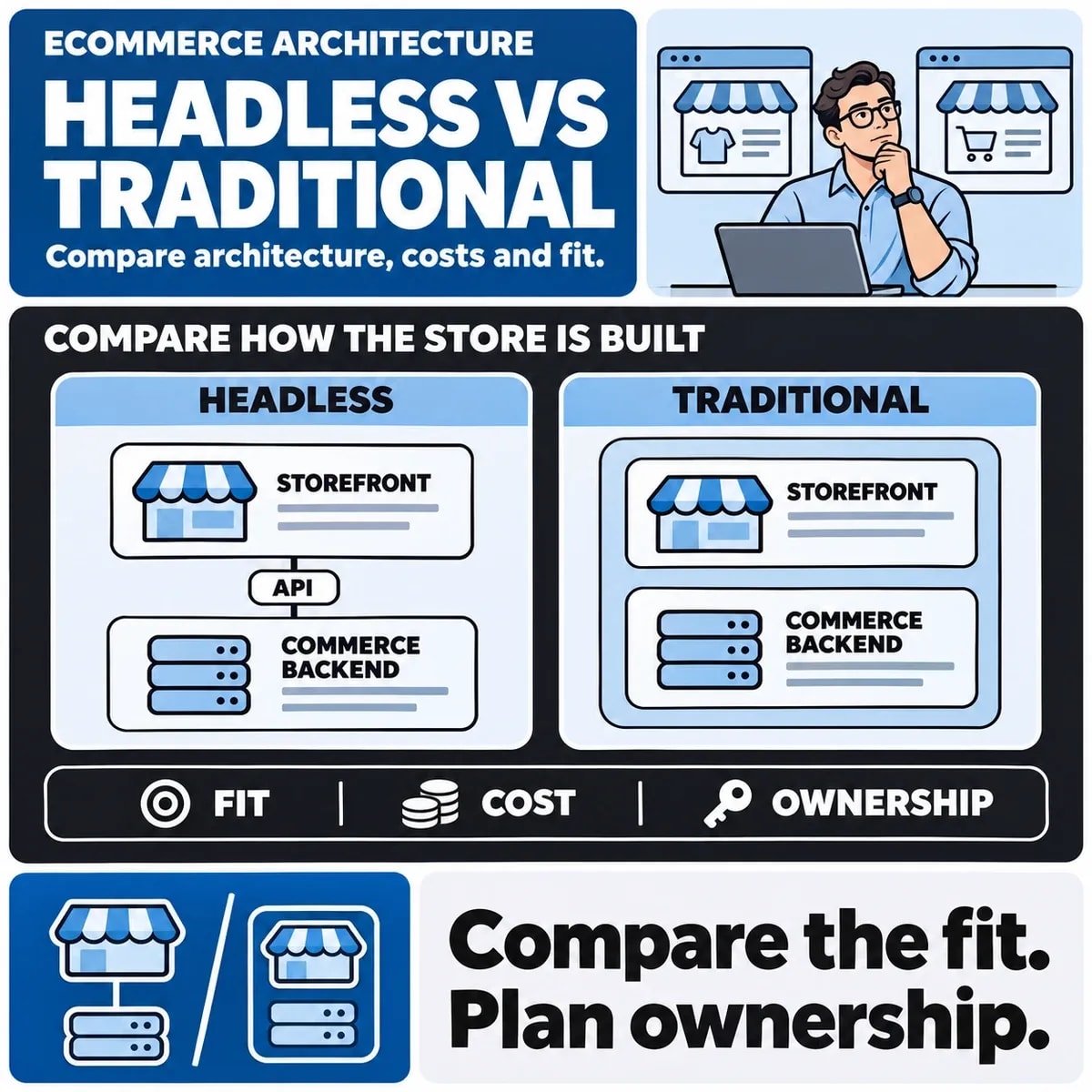

Headless ecommerce separates the storefront from the commerce backend and connects them through interfaces such as APIs. A conventional platform storefront keeps more of that experience within its established theme and extension model. The choice changes what your team designs, integrates, tests and operates.
Start with the constraint you need to remove. A custom frontend can address a particular experience or channel requirement, but does not automatically improve speed, search rankings or conversion. Those outcomes depend on implementation and need measurement.
Map which system owns each job
Separate products, pricing, inventory, identity, content, search, cart, checkout and orders. Record the system and team responsible for each. This reveals whether the problem is a storefront limitation or an issue with the underlying data and process.
As one platform example, Shopify's headless documentation describes a Storefront API for catalogue, search and cart with a checkout handoff, and a separate Customer Account API. Other platforms may allocate these responsibilities differently.
Compare conventional and custom options
| Approach | Test first | Responsibility to clarify |
|---|---|---|
| Conventional storefront | Can supported themes and extensions meet the journey? | Configuration and extension compatibility |
| Custom frontend | Do APIs support the necessary actions? | Frontend delivery, integration and operations |
| Limited custom experience | Can one difficult journey change without a full replacement? | Boundary between custom and platform behaviour |
Limited customisation is not always available. Confirm supported integration points on the relevant platform and plan. A headless marketing page does not establish that every installed extension or customer feature will work in a new frontend.
Use a representative buying journey
Consider a hypothetical trade supplier whose buyers select compatible components and request negotiated prices. First check whether catalogue data, customer permissions and the pricing source express those rules. A flexible frontend cannot create an authoritative price or stock record that does not exist.
Trace one customer through component selection, account pricing, cart and checkout. Include a price change, unavailable stock and a returning account holder. Identify which system makes the final transaction decision and what the storefront can cache or display provisionally.
Include editing and preview requirements
Ask editors to demonstrate preparing a campaign, changing an image, scheduling content and previewing an unpublished page. List which fields belong in the commerce platform and which require a separate CMS, if any.
Decide how content and product data are previewed together and what happens when they publish at different times. A technically clean separation may leave editors coordinating releases manually. Include training, permissions and recovery from an incorrect publication.
Inventory integrations beyond the storefront
Review search, reviews, promotions, subscriptions, delivery estimates, consent, analytics and support tools. Verify whether each connection supports the proposed frontend. Explain what replaces theme-dependent features rather than assuming they disappear without consequence.
Test the boundaries between account, cart and payment, including whether expected state survives navigation. A successful catalogue demonstration does not establish that checkout, returns information or customer support can complete their work.
Compare costs by responsibility
Use separate estimate lines for design, frontend, content integration, accounts, search, checkout handoff, analytics, assurance and release. List recurring platform, CMS, hosting and external-service costs separately, without double counting shared items.
Name who maintains frontend dependencies, investigates API changes and responds to cross-system outages. Compare that operating model with the conventional option. A universal cost premium or multiplier is not useful without common requirements.
If only a narrow customer task requires change, price a supported limited option. Justify a full architectural replacement against that option rather than only against doing nothing.
Include search and performance in acceptance
Verify meaningful route content, metadata, navigation, product availability and delivered responses. Test representative catalogue sizes, content and devices. Establish a baseline before describing the replacement as faster.
Retain useful URLs where possible and map necessary changes. Google's migration guidance supports the separate planning of those moves. A new frontend does not justify discarding working destinations or assuming search visibility transfers without checks.
Run a proof of concept that can disprove the idea
Select the difficult buyer flow, an editor task and one integration exception. Define what would make the architecture unsuitable: unsupported pricing, unmanageable editing or an operating burden the team cannot sustain. Keep the test bounded enough that stopping remains practical.
Use the existing Shopify versus WooCommerce guide for platform comparison. An ecommerce development assessment can then determine which storefront architecture fits the requirements and the people responsible for operating it.