
App Development

Mobile Deep Link Testing: Keep the Intended Journey Through Login

Test mobile deep links across app installation, login and destination changes. Use a practical journey matrix covering permissions, invalid links and fallbacks.

Mobile Deep Link Testing: Keep the Intended Journey Through Login

Published:

Share

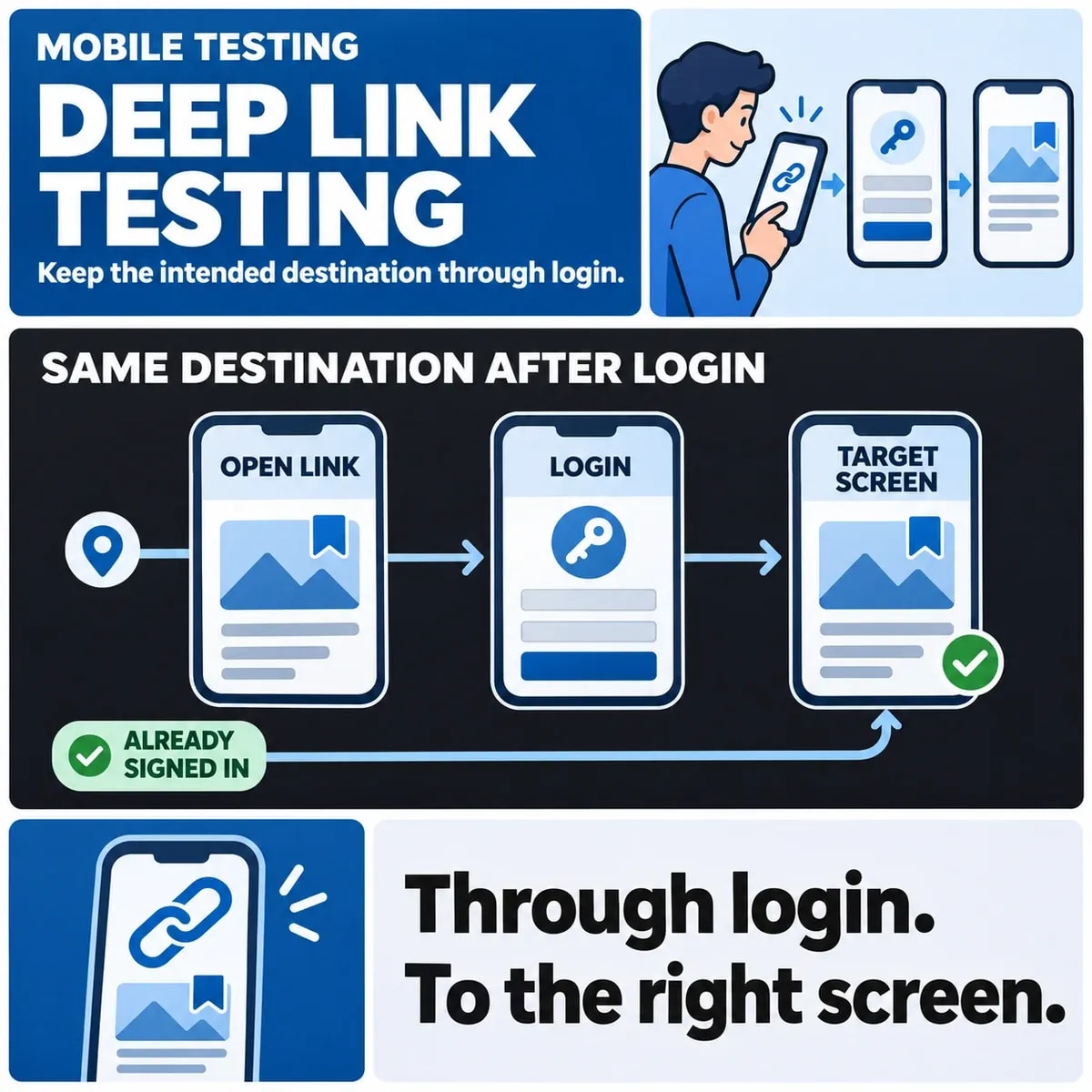
Test mobile deep links as complete journeys: entry point, app state, identity, destination and fallback. A link opening the app is only the first step. The user should reach the intended authorised content after any required login, or receive a clear alternative when that content is unavailable.

The test plan must distinguish platform link association from application routing. Both can affect the result, but a correctly associated domain does not prove that a signed-out user resumes the right journey.

Define the intended destination and allowed fallback

Describe what the link represents in business terms. A fictional service app might link to a particular job record, while another link opens a general list. Specify which parts of the destination are essential and what happens when they no longer exist.

Review incoming links with the broader mobile navigation and accessibility checks, rather than testing app opening alone.

Choose the fallback deliberately. The web version, a general app screen or an unavailable message may be appropriate in different circumstances. Do not let an accidental routing default become the product decision.

Android's App Links testing guidance concerns verification and testing of app and domain configuration. Apple's universal-links documentation explains its supported website and app association model. Use the relevant platform documentation for the actual setup; these sources do not establish that a particular app has been configured or tested.

Record whether the journey is intended to work when the app is absent. A browser fallback and automatic continuation after installation are different capabilities. Do not promise post-install continuation unless the chosen solution supports it and the team has evidence for the complete path.

Choose entry points and device states

List the real places people encounter links: email, a web page, a notification or another supported channel. Entry context can affect how the platform handles a link, so test the channels relevant to the product rather than only pasting a URL into a development tool.

Include the app closed, already running and showing another record. Decide whether opening a second link replaces the current destination, queues a journey or asks the user to finish work first. An unsaved form should not be discarded by an unexplained navigation side effect.

Cover the supported OS and app versions, with the actual installation and association state recorded. A result from one device configuration is not evidence for every supported combination.

Use controlled destinations that let reviewers distinguish correct routing from a generic home screen. Keep a stable test record identity and expected outcome so the same case can be repeated after a routing change.

Preserve the journey through authentication

A signed-out user may need to authenticate before seeing the destination. Retain only a validated intended route and resume it after the appropriate identity checks. Authentication should not turn an untrusted parameter into unrestricted navigation authority.

Recheck access to the destination after login. The person may sign into a different account from the one the sender expected. Knowing a record identifier or receiving its link does not establish permission to open it.

Define cancelled and failed login behaviour. The app should not falsely report that the linked task completed or repeatedly restart an unwanted login. Give the user a clear next choice under the product's actual authentication design.

Consider several incoming links during authentication. Decide which valid destination is retained and how the user understands the result. A global “last URL” variable can conceal a product decision about competing journeys.

Build an app-state and identity test grid

This hypothetical grid shows the decisions to specify. It is not evidence of commands run or tests performed against a released application.

Starting stateJourneyExpected decision
App installed; user signed inOpen a permitted recordReach the intended current record
App installed; user signed outAuthenticate and resumePreserve a valid route and recheck authority
App absentFollow the chosen fallbackUse the supported web or installation journey
Record removed or access lostOpen a previously valid linkShow the agreed unavailable or denied route
Destination malformedProcess invalid routing inputReject it or use a safe, defined fallback

Expand each row with the entry channel and app lifecycle state. For an important journey, inspect both the visible screen and the underlying record identity. Similar titles can make a wrong destination look correct.

Record unexpected extra navigation too. Reaching the right record only after a loop or repeated login can still be a material usability defect. Define acceptance in terms the product owner can assess.

Include back navigation in the same case. After opening the linked record, the user should have an understandable route to continue using the app. Decide whether “back” returns to the previous app screen, the sending context or a sensible parent view. Record the intended behaviour for that platform rather than expecting every entry point to create the same navigation history.

Test a second account explicitly when the app supports account switching. Confirm that the link is re-evaluated under the selected identity and that a previously loaded preview does not remain as evidence of access for the new account.

Review malformed destinations and safe handling

Validate the route and parameters before using them. Decide which destination types are allowed and how unknown fields, missing identifiers or invalid encodings are handled. Avoid treating an arbitrary incoming URL as an approved redirect target.

Include authentication and unavailable destinations in the agreed mobile software testing.

Inspect previews and error messages for unnecessary disclosure. A denied record link should not reveal sensitive record details merely to explain the failure. The appropriate wording depends on the product's information boundary.

Test stale state as well as malformed input. A job may have closed, a booking may have changed or a resource may now belong to another account. The current system state should determine the action available after opening the link.

Use a fictional link to job record J42, then close that job before the user completes login. The correct destination is now the agreed closed-record experience, not necessarily the screen that would have been appropriate when the link was sent. Inspect the displayed record identity and the actions still available. A retained route should preserve intent while the current state determines what the user may do.

Agree evidence and release ownership

A useful result records the link, entry context, device and app state, signed-in identity class, expected destination and observation. Keep test accounts controlled and avoid putting private live links into a widely shared report.

Assign platform configuration, application routing and identity issues to the appropriate owners. The release reviewer should be able to distinguish a verified association from a verified end-to-end journey and see any remaining unsupported combinations.

Discuss incoming-link journeys and release evidence for mobile app delivery with ZakCodeX.

Hamza Ali

Hamza Ali

I’m Hamza, a content marketer dedicated to helping brands grow through meaningful storytelling and SEO-driven strategies. My work revolves around clarity, impact, and measurable results. When I’m not crafting content, I’m often learning about emerging tech and digital trends.

More On This Topic

Frequently Asked Questions

Book a Discovery Call

Is opening the app enough to pass a deep-link test?

Verify the complete intended journey, including the record identity, required login and final permitted action. Opening a generic screen demonstrates only part of the route. Record entry context and app state so the result is interpretable.

What should happen to a deep link while the user logs in?

Retain a validated intended route and re-evaluate it after authentication under the actual signed-in identity. Preserve the user's legitimate intent without treating incoming parameters as authority to open any record or redirect anywhere.

Can a link automatically continue after the app is installed?

That is a separate capability from a normal browser fallback or app opening. Confirm the chosen solution supports the complete journey and test it before promising automatic continuation. An association configuration alone does not establish the post-install experience.

Should deep links be tested from email and notifications separately?

Include the actual entry channels the product supports, since context is part of the journey. Record the channel, app lifecycle and identity state. A pasted development URL is not evidence for every way a user encounters the same link.

What if the linked record closes before login finishes?

Use the current record state when the user reaches it. A preserved route retains intent, but it does not freeze availability or permissions at the time the link was sent. Show the agreed closed or unavailable experience.

How should malformed link parameters be handled?

Validate the allowed route and inputs, then reject invalid destinations or use the defined safe fallback. Do not treat an arbitrary incoming URL as an approved redirect. Keep error wording appropriate to the information boundary.

What if a second deep link arrives during authentication?

Define which valid destination is retained and how the user understands the result. Include the case in testing. A shared last-URL value should not accidentally decide the policy for competing journeys or discard important unsaved work.

Should back navigation be part of a deep-link acceptance case?

Yes. Decide the sensible continuation after the linked screen for the relevant platform and entry point. Verify that the user can return or proceed without a loop or unexplained loss of work, and record the intended history behaviour.

From Insight To Action

Create An App People Want To Use

Bring your app idea, your users and the challenge you want to solve. We can help you choose a suitable platform, prioritise the features that matter and plan a clear path from an initial concept to a useful mobile experience.

Book a Consultation
AI-created planning session with two professionals reviewing a workflow at a sunlit studio desk.

Keep Exploring

Related Blogs

All Insights
How Long Does It Take to Develop a Mobile App

How Long Does It Take to Develop a Mobile App

Table of Contents: What is Mobile App Development · Why Time Matters in App Development · Typical Mobile App Development Time Breakdown · 1. Idea Validation and Research (1 to 2 Weeks) · 2. Planning and Requirements (2 to 4 Weeks) · 3. UI / UX Design (3 to 6 Weeks) · 4. Development and Coding (8 to 20 Weeks) · 5. Testing and Quality Assurance (3 to 6 Weeks) · 6. Deployment to App Stores (1 to 3 Weeks) · 7. Post Launch Support and Updates (Ongoing) · So How Long Does it Really Take to Develop a Mobile App? · Key Factors That Affect Mobile App Development Timeline · 1. App Platform Choices · 2. App Complexity and Features · 3. Backend Infrastructure · 4. Team and Resources · 5. Third Party Integrations · 6. UI / UX Revisions · 7. Testing Cycles · How to Speed Up App Development · Use Agile Development · Build an MVP First · Use App Development Frameworks · Choose Experts for App Development · Estimating App Development Cost Based on Time · Common Mistakes That Delay Development · 1. Poor Planning · 2. Frequent Feature Changes · 3. Not Testing Early · 4. Ignoring User Feedback · Best Practices to Stay On Track · Final Thoughts on Mobile App Development Time

By Fatima Noor
Is Python Used for Mobile App Development?

Is Python Used for Mobile App Development? A Complete Guide

Table of Contents: What is Python? · Is Python Used for Mobile App Development? · Why Developers Consider Python for Mobile Apps · 1. Easy to Learn and Use · 2. Rapid Development · 3. Strong Ecosystem · 4. Cross Platform Development · 5. Ideal for Backend Services · Popular Python Frameworks for Mobile App Development · Kivy · BeeWare · PyQt · Python for Mobile App Backends · Advantages of Using Python for Mobile App Development · Faster Development · Cost Effective · Strong AI and Machine Learning Capabilities · Large Developer Community · Limitations of Python in Mobile Development · Performance Issues · Limited Native Support · Smaller Ecosystem for Mobile Apps · When Should You Use Python for Mobile Apps? · 1. Rapid Prototyping · 2. AI Powered Applications · 3. Cross Platform Tools · 4. Backend Development · Python vs Other Mobile Development Languages · Python vs Java or Kotlin · Python vs Swift · Python vs Flutter · Future of Python in Mobile Development · Choosing the Right Mobile App Development Partner · Conclusion

By Sana Khalid
How Much Does Mobile App Development Cost?

How Much Does Mobile App Development Cost? A Complete Guide

Table of Contents: Average Mobile App Development Cost · Key Factors That Affect Mobile App Development Cost · 1. App Complexity · Simple Apps · Medium Complexity Apps · Complex Apps · 2. App Platform · iOS App Development · Android App Development · Cross Platform App Development · Mobile App Development Cost Breakdown · Cost of Mobile App Features · Basic Features · Advanced Features · Premium Features · UI/UX Design Cost · Backend Infrastructure Cost · Mobile App Maintenance Cost · Cost by App Category · E Commerce Apps · Social Media Apps · On Demand Apps · Healthcare Apps · Mobile App Development Cost by Region · Tips to Reduce Mobile App Development Cost · Start with an MVP · Choose Cross Platform Development · Use Ready Made APIs · Prioritize Essential Features · Partner with an Experienced Development Team · Why Businesses Invest in Mobile Apps · Final Thoughts

By Hamza Ali
The Benefits of React Native App Development for Modern Businesses

The Benefits of React Native App Development for Modern Businesses

Table of Contents: What is React Native? · Why Businesses Choose React Native · 1. Faster Time-to-Market · 2. Cost Efficiency · 3. Native-Like Experience · 4. Easy Updates and Maintenance · 5. Large Ecosystem and Community · Business Use Cases for React Native · Retail and E-commerce · Healthcare · Finance and Banking · Logistics and Transportation · Education and E-Learning · Technical Advantages of React Native · How React Native Supports Digital Transformation · Challenges and How to Overcome Them · Real-World Success Stories with React Native · How to Get Started with React Native App Development · Conclusion

By Usman Tariq