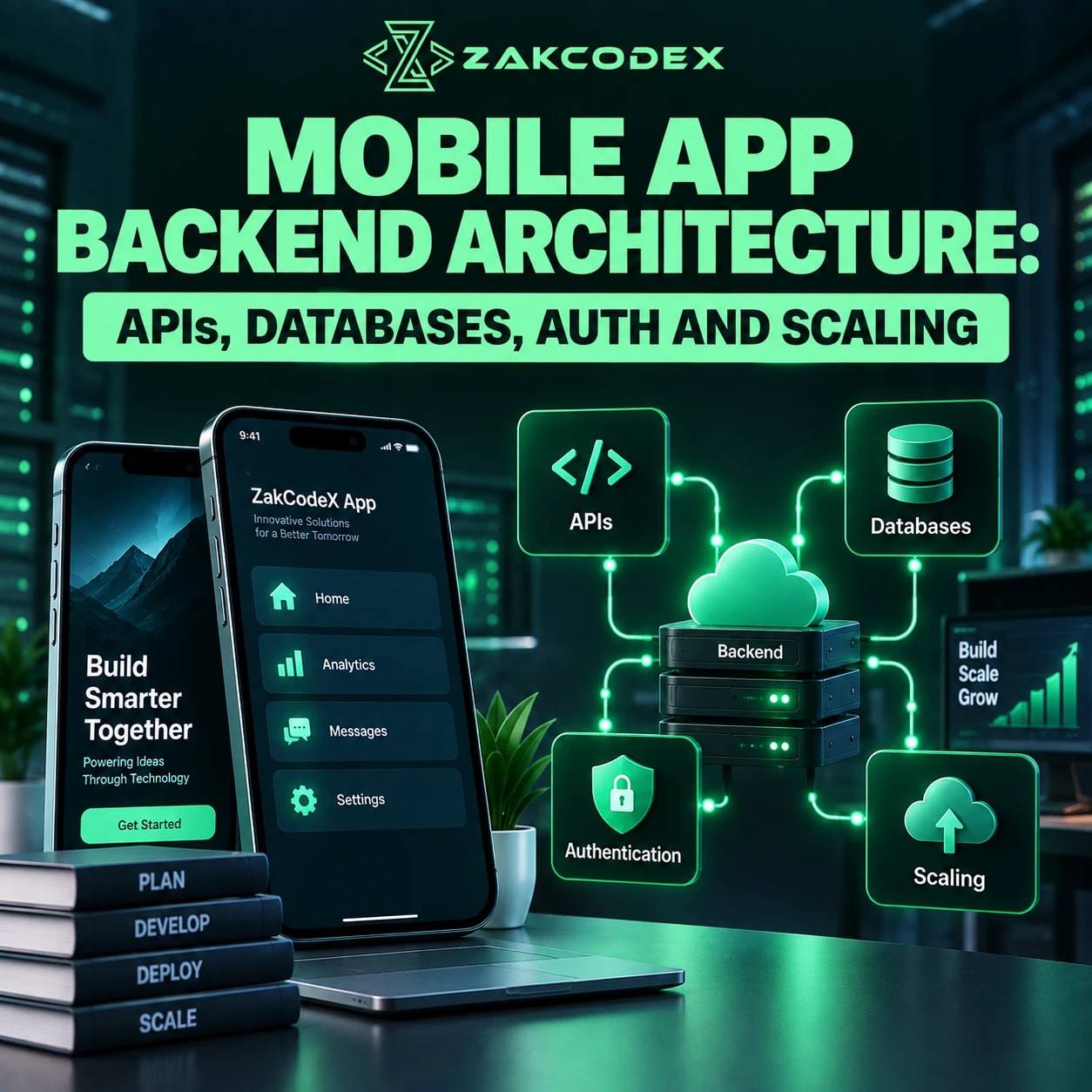

Mobile app backend architecture is the server-side structure handling APIs, authentication, authorisation, business logic, databases, files, integrations, notifications, security and scaling. A typical flow is: Mobile App → API Layer → Authentication/Authorisation → Business Logic → Database/Storage → External Services. These are cooperating components; not every request visits every component.
Production systems may add caches, queues, workers, object storage, push services, monitoring, logging, load balancing, autoscaling, a CDN and API gateways. When planning mobile app development, choose according to workload, data, offline needs, security, integrations, team capability and budget. There is no single best backend for every application.
Does every mobile app need a backend?
A standalone calculator or offline journal may need only device storage. Accounts, shared content, payments, messaging, synchronisation and centrally controlled business rules usually require backend capabilities.
The mobile frontend handles presentation and device interaction. The backend controls shared state and trusted decisions; infrastructure runs it, while external services supply capabilities such as payments or search.
| Component | Purpose | Key decision |
|---|---|---|
| Mobile client | Interface and local state | Offline behaviour |
| API layer | Communication contract | REST or GraphQL |
| Authentication | Verify identity | Identity provider |
| Authorisation | Enforce permissions | Ownership and roles |
| Business logic | Apply application rules | Module boundaries |
| Database | Persist application data | Model and queries |
| Cache | Reuse results | Freshness policy |
| File storage | Store media | Access and retention |
| Background jobs | Process deferred work | Retry behaviour |
| Third-party integrations | Extend capabilities | Failure handling |
| Monitoring | Detect problems | Actionable alerts |
| Infrastructure | Run workloads | Operational ownership |
| Scaling | Meet workload growth | Measured bottlenecks |
How does the mobile app API work?
An API translates client requests into controlled backend operations. It should expose business capabilities, such as placing an order, rather than unrestricted database access.
- A user acts; the app sends an HTTPS request.
- The API authenticates credentials and checks resource permissions.
- Business logic validates inputs and queries storage or services.
- The backend returns a response; the app updates its interface.
Define endpoints, HTTP methods, JSON contracts, validation, consistent errors, filtering, pagination and rate limiting. Preserve compatibility through an explicit API versioning policy: installed mobile clients may remain outdated. Gateways can centralise routing and throttling without replacing application permission checks.
REST and GraphQL compared
| Factor | REST | GraphQL |
|---|---|---|
| Data fetching | Resource responses | Selected fields |
| Endpoints | Usually multiple | Often one |
| Over/under-fetching | May need tailored endpoints | Flexible query shape |
| Caching | HTTP caching fits naturally | Needs query-aware design |
| Client flexibility | Defined representations | Schema-based selection |
| Complexity | Endpoint coordination | Resolvers and query limits |
| Monitoring | Per route | Per operation/resolver |
| Learning curve | HTTP conventions | Schema and execution model |
| Best fit | Clear resource workflows | Varied connected views |
REST is sufficient for many applications. GraphQL's query model is useful when screens need different combinations of connected data; it still requires efficient database access and authorisation.
How should authentication and security work?
Authentication establishes who the user is; authorisation determines what they may do. Successful login does not grant access to every account, order or tenant.
Server-side sessions track login state; tokens carry or reference credentials. JWT is a token format, not a complete security design. OAuth 2.0 delegates access; OpenID Connect adds an identity layer for login. Native OAuth clients should use browser-based authorisation with PKCE, following RFC 8252.
Design access-token expiry, refresh-token protection, revocation and session management. Use secure device credential storage, suitable password hashing when managing passwords, and MFA where warranted. Validate token signatures, issuer and audience; apply role-based access control alongside resource ownership checks.
OWASP's object-level authorisation guidance explains why each requested resource needs permission checks. Never trust client-supplied prices, payment status, tenant identifiers or validation results.
Use HTTPS/TLS, appropriate storage encryption, least-privilege database permissions, managed secrets, dependency updates, rate limits and audit trails. Keep privileged credentials outside the mobile app and sensitive payloads out of logs.
Which database architecture suits a mobile app?
Select the database around relationships, transactions and access patterns. Users, orders, messages, profiles and application state impose different consistency and query requirements.
| Factor | SQL | NoSQL |
|---|---|---|
| Structure | Related tables | Documents, keys or other models |
| Relationships | Joins and constraints | Embedding or application coordination |
| Transactions | Common core capability | Product-specific scope |
| Schema | Explicit migrations | Flexible; still needs validation |
| Queries | Relational combinations | Access-pattern-led design |
| Scaling | Several deployment options | Partition design matters |
| Consistency | Depends on reads/deployment | Product and configuration dependent |
| Flexibility | Structured relationships | Variable records |
| Examples | PostgreSQL, MySQL | MongoDB, DynamoDB |
Measure queries before adding capacity. Start with indexing, query optimisation and connection pooling; then assess read replicas, partitioning, archiving and, where justified, sharding. Replication lag matters when users expect immediate confirmation. NoSQL does not automatically solve database scalability.
Where do files, caches and background jobs fit?
Store durable records in the database, large media in object storage and reusable results in a cache. Move slow work outside the request path when users do not need its immediate completion.
Keep file metadata and ownership in the database; control uploads with scoped, expiring signed URLs and validate uploaded content. Plan image optimisation, CDN delivery, permissions and backups.
Application or query caching, including Redis, can reduce repeated computation and database load. Define expiry and invalidation; prevent private data crossing user boundaries. Stale stock or pricing can be more damaging than a slower response.
API → Queue → Worker → Result suits email, media processing, imports, reports, synchronisation and AI tasks. Make handlers idempotent, bound retries and send repeatedly failing work to dead-letter handling.
Push delivery combines backend scheduling, device tokens, preferences and segmentation with platform notification services. Track available delivery events without assuming receipt. Payments, maps, SMS, analytics, CRM, ERP, identity and search integrations need protected credentials, webhook verification, timeouts, rate-limit handling and outage fallbacks.
Should you use a custom backend or managed services?
Choose according to required control and operational capacity. Backend as a Service can reduce setup work, while custom logic may justify a hybrid or fully custom backend.
| Approach | Advantages | Trade-offs |
|---|---|---|
| Custom backend | Control over logic, data and integration | Build and operate authentication, scaling and infrastructure |
| BaaS, such as Firebase or Supabase | Packaged backend capabilities can accelerate delivery | Verify database fit, permissions, limits and vendor dependency |
| Hybrid | Managed foundations with custom workflows | Additional boundaries and integration ownership |
| Structure | Delivery and data | Operational implications |
|---|---|---|
| Monolith | One deployment; often shared database | Simpler debugging; scales as a unit |
| Modular monolith | One deployment with explicit boundaries | Useful for small teams; enforce modularity |
| Microservices | Independent deployment and data ownership | Distributed debugging, networking, consistency and infrastructure overhead |
Microservices become useful when independent team ownership or workload scaling justifies their complexity. An MVP still needs secure authentication, data integrity, backups, monitoring and maintainable error handling.
A VPS or cloud VM offers infrastructure control with administration duties; containers package applications, while managed platforms reduce operational work. Managed databases, queues and object storage can complement either approach. Serverless functions suit event-driven workloads, but cold starts, execution limits, database connections and usage-based costs require assessment. Cloud hosting alone does not create a sound architecture.
How do you scale and operate a mobile backend?
Scalability means maintaining acceptable service as workload grows; availability means remaining usable despite failures. Measure concurrent requests, database growth, media, jobs, real-time connections and provider limits rather than user totals alone.
Vertical scaling adds resources to a server and is relatively simple but bounded. Horizontal scaling adds instances behind a load balancer. Health checks and shared session storage make stateless APIs easier to distribute; autoscaling must respect downstream database and provider capacity.
Design redundancy, resilient queues, bounded retries, graceful degradation and tested recovery. Replication is not a substitute for backups. Reduce mobile network overhead through smaller payloads, compression, pagination and caching.
Monitor latency percentiles, request rates, errors, database and infrastructure metrics, queue depth, authentication failures and external API failures. Correlate logs and traces; alert on user-impacting symptoms. Distinguish slow device rendering from network delay, API processing and database time before choosing a remedy.
How should architecture vary by app type?
Start with the application's critical workflow and failure consequences. The following priorities guide design without prescribing a vendor.
| App type | Backend needs | Architecture consideration |
|---|---|---|
| Content | Publishing and media | CDN and cache freshness |
| Ecommerce | Orders and payments | Transactions and idempotency |
| Marketplace | Multiple participant roles | Ownership and settlement workflows |
| Social | Feeds and uploads | Moderation and asynchronous processing |
| Chat | Message synchronisation | Reconnects and ordering |
| Booking | Availability and reservations | Prevent conflicting allocations |
| Fintech | Sensitive transactions | Auditability and reconciliation |
| Delivery | Location and dispatch | Frequent updates and retention |
| SaaS mobile | Tenant workflows | Tenant isolation |
| AI-enabled | Model requests | Queues, budgets and provider failures |
How do you design the backend before development?
Validate business rules and data flows before selecting technologies. Match complexity to team size, deadline, budget, security and realistic growth.
- Map requirements, roles, journeys, offline conflicts and server-side rules.
- Model data; validate transactions, queries and database choice.
- Design APIs, authentication, permissions, integrations, files and asynchronous work.
- Estimate traffic; choose infrastructure, security boundaries and scaling triggers.
- Add observability, backups and recovery; assign operational ownership.
- Test permissions, load, retries, compatibility and restoration; deploy through controlled CI/CD, measure and evolve.
The strongest mobile app backend architecture is the simplest design that reliably supports its data, security, integrations and expected scale. Avoid premature microservices or sharding, missing indexes, unversioned APIs, exposed secrets and untested backups. Introduce distributed components when measured constraints justify them.