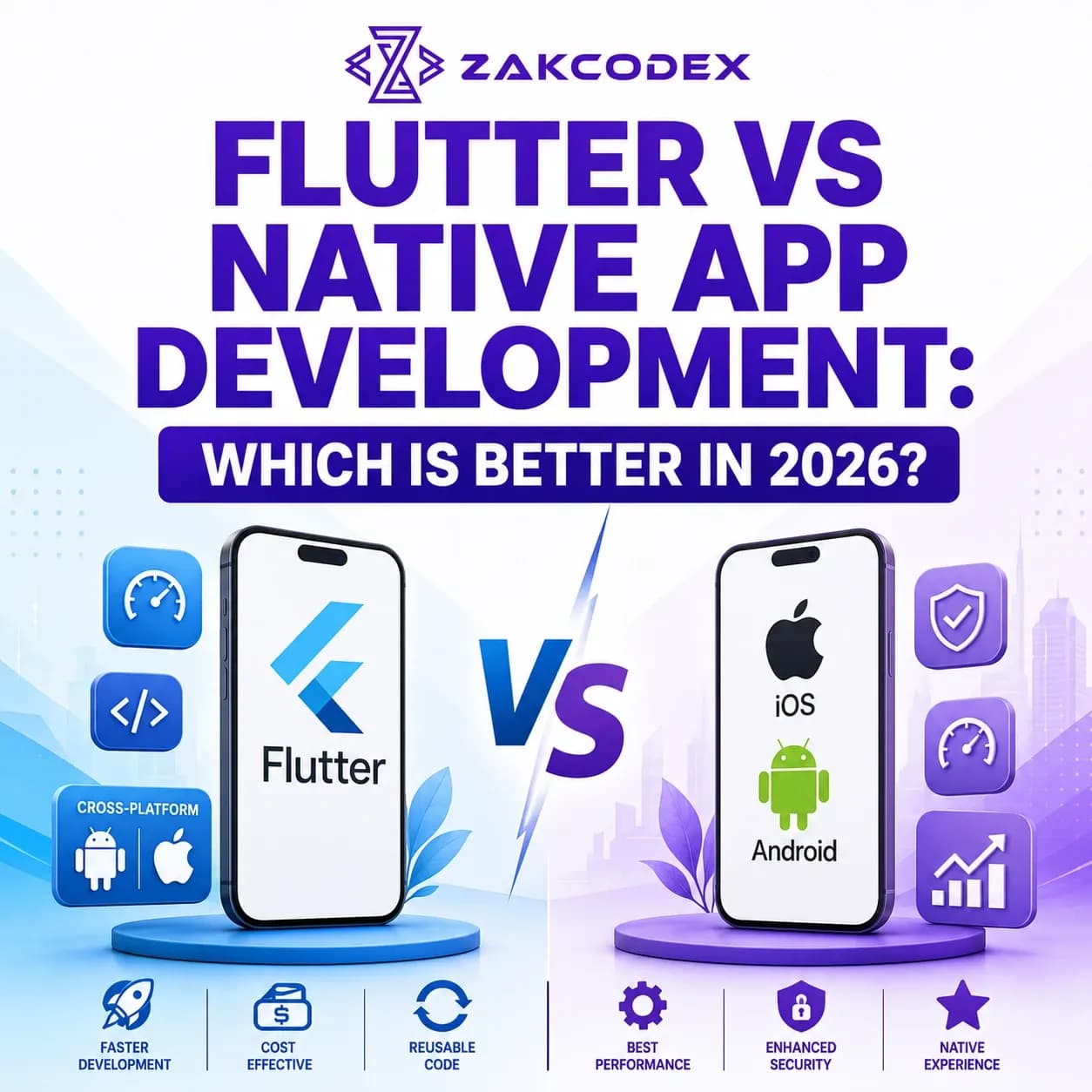
Deciding whether Flutter or native app development is better depends entirely on your product parameters: Flutter app development is the superior choice for most commercial businesses, startups, and ecommerce brands seeking to build a feature-rich cross platform mobile app development solution rapidly and cost-effectively from a single codebase, while native mobile app development remains the ideal path for software requiring extreme, low-level computational performance, heavy graphical processing, bank-grade encryption, and immediate access to the latest device-specific hardware APIs. In 2026, Flutter's rendering maturity has significantly closed the performance gap, making it a powerful alternative to native execution pipelines for the vast majority of digital products.
For modern startup founders, CTOs, and product managers, selecting an application runtime is a foundational decision that influences your engineering budget, speed to market, and long-term architectural scalability. Choosing between modern cross platform app development and platform-specific engineering requires understanding several trade-offs. This detailed guide provides a technical and commercial comparison of flutter vs native app development to help you choose the right path for your business.
What Is Flutter App Development?
What is Flutter app development? It is an open-source framework created by Google that allows engineers to build high-performance, visually polished apps for iOS, Android, web, and desktop using a single, unified codebase. Flutter is a mobile cross platform development tool that uses the Dart programming language.
Unlike traditional hybrid frameworks that rely on standard browser-based WebViews, Flutter bypasses the platform's native interface components entirely. Instead, it draws its user interface widgets directly onto the screen canvas using its modern Impeller graphics engine. This self-contained rendering architecture gives teams total creative control over the layout, ensuring complete visual consistency across different devices and operating systems.
What Is Native App Development?
What is native app development? It is the process of creating software specifically optimized for a single mobile operating system using its official languages, tooling, and runtime environments. For native mobile development, this means engineering an iOS app using Swift or SwiftUI within Apple's Xcode environment, or developing an Android app using Kotlin or Java within Android Studio.
A native app compiles directly into machine code tailored to its host architecture. This direct execution path allows a native mobile app to maximize hardware acceleration, access native platform features without abstraction layers, and interact smoothly with the underlying operating system. However, a native application development approach requires maintaining two distinct codebases, which generally demands more engineering resources and larger development budgets.
Flutter vs Native App Development Overview
To evaluate these methodologies, we must examine how they handle runtime execution, layout rendering, and developer workflows. While native apps offer absolute platform integration, modern cross platform mobile app development frameworks like Flutter focus on maximizing developer efficiency and reducing overall project costs.
Flutter vs Native Feature Comparison
| Feature Category | Flutter App Development | Native App Development |
|---|---|---|
| Programming Language | Dart | Swift (iOS) / Kotlin (Android) |
| Codebase Architecture | Single shared codebase (~90%+ reusability) | Two independent codebases |
| UI Rendering Engine | Bespoke graphics pipeline (Impeller) | Platform-specific OEM layout components |
| Development Workflow | Stateful Hot Reload for rapid updates | Standard build compilation pipelines |
| Hardware API Access | Handled via plugin abstraction bridges | Direct, immediate native access |
Deep-Dive Technical Framework Breakdown
Performance Comparison: Is Flutter as Fast as Native Apps?
Historically, cross platform app development struggled with visible frame drops and slow rendering. In 2026, the updated Impeller rendering engine has largely resolved these issues for Flutter, eliminating compile-time shader stutter and delivering stable 60fps to 120fps visual performance on modern mobile hardware.
Even with these improvements, native engineering still holds the advantage for resource-intensive tasks. Because native applications execute instructions directly without a runtime translation layer, they handle heavy multi-threaded background processing, complex data manipulation, and high-performance 3D graphics rendering with greater energy and memory efficiency.
Development Cost: Flutter vs Native App Development Cost
From a budgeting perspective, Flutter is highly cost-effective. Because it uses a single codebase, you only need to hire one cross-platform development team to launch on both platforms, reducing upfront design, engineering, and testing costs by 35% to 50% compared to dual-native tracks.
| Project Scope | Flutter Cross-Platform Cost (£) | Dual Native Cost (iOS + Android) (£) |
|---|---|---|
| Minimum Viable Product (MVP) | £15,000 – £30,000 | £28,000 – £55,000 |
| Mid-Tier Business Application | £30,000 – £70,000 | £60,000 – £120,000 |
| Enterprise Digital Ecosystem | £70,000 – £150,000+ | £140,000 – £280,000+ |
Development Speed & Time to Market
Flutter accelerates development cycles through its stateful Hot Reload feature, which allows engineers to view code changes instantly without rebuilding the entire application container. A single development team can build features, update logic, and run quality assurance across both platforms in parallel, drastically reducing your time to market compared to coordinating separate native iOS and Android release pipelines.
UI & User Experience Customisation
Flutter's rendering engine gives you pixel-perfect control over every element on the screen, ensuring your design looks identical across all versions of your app. This makes it a great fit for brands with unique, highly customized design requirements. On the other hand, if your priority is aligning closely with platform-specific patterns - like Apple's Human Interface Guidelines or Google's Material Design - native engineering naturally integrates these behaviors out of the box.
Native Device Features & APIs
Native apps have direct, immediate access to all underlying device hardware, including advanced camera setups, Bluetooth Low Energy (BLE) modules, geolocation sensors, and biometric arrays. Flutter connects to these systems through plugin wrappers. While common features are well-supported, projects that rely heavily on specialized hardware or cutting-edge operating system APIs often benefit from a native approach to avoid waiting for custom integration bridges.
Security, Scalability, and Maintenance
Native development allows you to configure low-level security features, data encryption libraries, and biometric access controls directly within the operating system's native environment. This makes it the preferred approach for high-security applications like banking and finance.
For ongoing product support, Flutter simplifies long-term maintenance. Bug fixes, API updates, and feature additions only need to be written and tested once, reducing your annual support costs compared to managing two independent codebases over time.
Ecosystem Context: Flutter vs React Native App Development
When exploring cross-platform options, it is also helpful to look at the react native vs flutter mobile app development comparison 2026 landscape. While both frameworks excel at reducing development costs, they take different technical approaches. React Native bridges JavaScript to native UI elements, whereas Flutter compiles directly to machine code and draws its own components.
For a detailed analysis of these two cross-platform options, read our guide on Flutter vs React Native. For a broader look at cross-platform strategies versus web alternatives, explore our guide on native vs hybrid app development to find the best match for your overall product architecture.
Choosing the Best Option by Business Vertical
Flutter for Startup Apps & MVPs
For startups focused on finding product-market fit, capital efficiency is vital. Choosing Flutter app development services allows you to launch a functional, visually polished product to both major platforms simultaneously, maximizing your early market reach while preserving runway for future product iterations.
Native Development for Enterprise Apps
Large enterprises regularly manage complex internal systems, legacy database infrastructure, and strict corporate access controls. Native development provides the granular architectural control and platform stability required to integrate smoothly with large-scale enterprise environments.
Flutter for Ecommerce Apps
Mobile commerce requires smooth navigation, fast page loads, and consistent branding across devices. Flutter is an excellent fit for retail platforms because it handles dynamic catalogs, secure checkouts, and custom brand designs efficiently from a single shared codebase.
Flutter for Healthcare Apps
Modern healthcare applications connect telemedicine, health tracking, and scheduling features into a single portal. By combining an intuitive interface with secure cloud APIs, Flutter allows you to build compliant, cross-platform healthcare tools that perform reliably on both iOS and Android.
Flutter for AI Applications
As mobile AI applications grow, they often process complex models via cloud-based microservices. Flutter is well-suited for these tools, enabling you to build responsive frontends that connect smoothly to AI APIs, predictive models, and real-time streaming tools across all mobile devices.
Pros and Cons Analysis
Flutter App Development
Pros:
- Single shared codebase cuts time to market and development costs.
- Fast iteration with stateful Hot Reload.
- Pixel-perfect UI rendering consistency across iOS and Android.
- Growing ecosystem with strong support from Google and the open-source community.
Cons:
- Slightly larger initial app bundle size compared to native apps.
- Relies on plugin bridges for complex, low-level hardware access.
- Custom platform-specific features require writing native code extensions.
Native App Development
Pros:
- Maximum computing performance and efficient memory management.
- Direct, immediate access to all hardware APIs and new OS updates.
- Natural integration with platform-specific UI design patterns.
- Fewer third-party dependencies, reducing long-term maintenance risks.
Cons:
- Higher initial development costs and longer time to market.
- Requires managing and funding separate iOS and Android engineering teams.
- Every new feature must be built, tested, and updated twice.
Strategic Decision Matrix
| Business Priority | Recommended Path | Primary Reason |
|---|---|---|
| Fastest Time to Market | Flutter Framework | Parallel multi-platform deployment from a single codebase. |
| Tight Development Budget | Flutter Framework | Saves up to 50% on engineering resources compared to dual native tracks. |
| High-Performance 3D Graphics | Native Architecture | Direct access to GPU layers via Metal (iOS) and Vulkan (Android). |
| Deep Hardware/Sensor Access | Native Architecture | Eliminates plugin abstraction layers for specialized device communication. |
Final Recommendation
The choice between Flutter and native app development ultimately depends on your commercial goals, technical requirements, and long-term budget. If your product relies on complex on-device processing, custom hardware integrations, or specialized OS capabilities, native development provides the deep control you need.
However, if you want to optimize your budget, launch quickly, and deliver a smooth, visually cohesive user experience across both iOS and Android, Flutter is an excellent choice for modern businesses. To learn more about structuring your investment, check out our comprehensive mobile app development cost guide, or explore our specialized React Native app development services and hybrid app development services to choose the best technology stack for your digital goals.