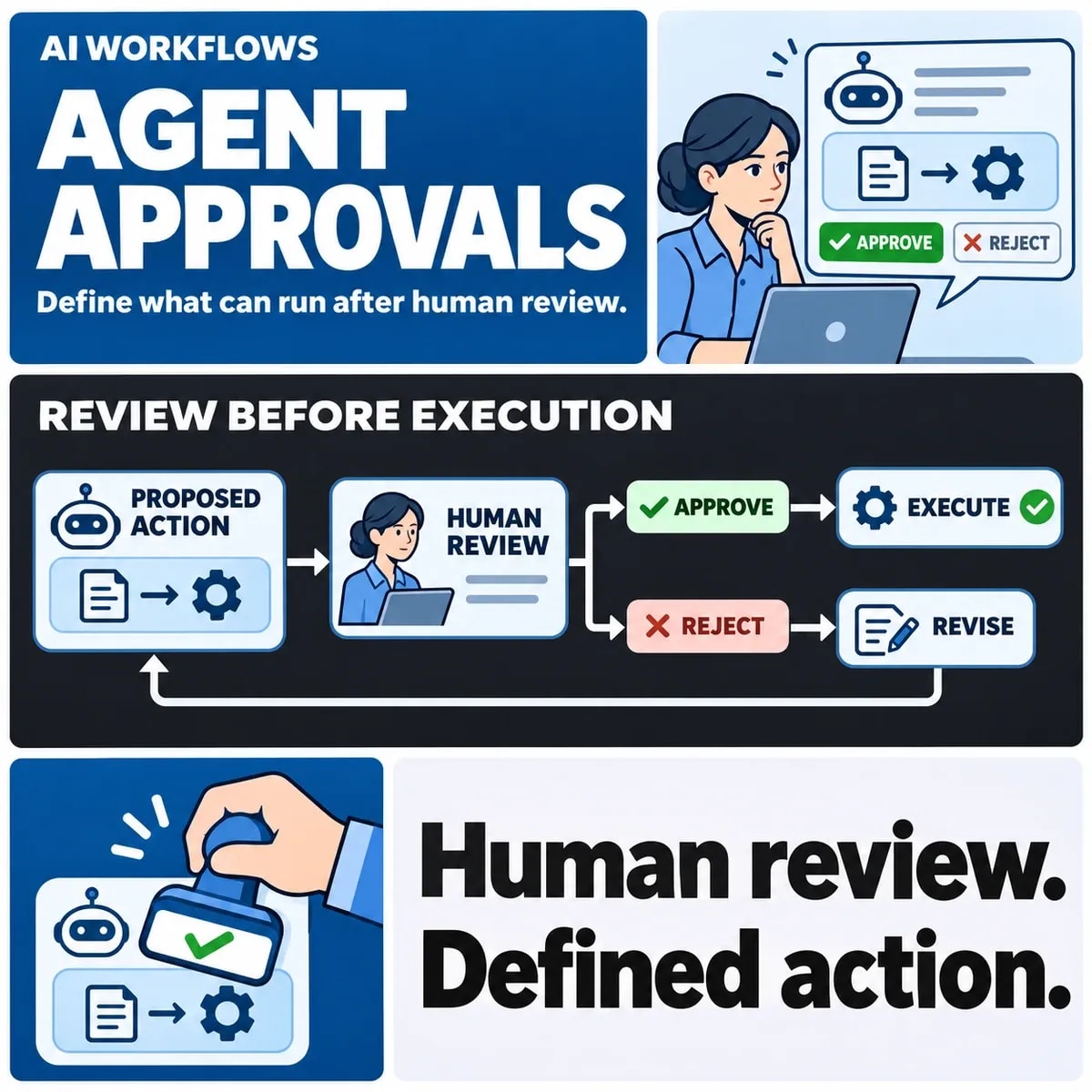

Human approval in an AI workflow should authorise a specific proposed action under defined conditions. Record what the person reviewed, which version they approved and whether that approval remains valid when execution begins. A generic “approved” flag is too ambiguous when targets, values or circumstances can change.
Approval and execution need separate records. A person can authorise an action that later fails, times out or becomes inappropriate. Designing those branches makes the workflow easier to review and operate than placing a confirmation button in front of an otherwise undefined process.
Define the action that requires human approval
Describe the business effect: changing a CRM account field, sending a message or submitting a request to another system. Identify the target, allowed scope and consequences. Generating a draft and sending that draft are different actions and may have different approval requirements.
Use the wider AI automation fundamentals to explain where a reviewed action fits in the business process.
Name who may review each action. The relevant authority might depend on account ownership, team membership or the type of change. A workflow operator should not assume that anyone who receives an approval notification has permission to authorise the proposed effect.
Microsoft's tool-approval documentation shows how tool execution can be placed behind human review. That capability still needs a business policy describing the action and reviewer. It is not evidence that a particular installation has the right permissions or complete controls.
State the limits of the agent's discretion. If approval allows only a particular field update, it should not become permission to make unrelated edits because the assistant considers them helpful. Broader delegated authority requires its own explicit definition.
Bind approval to an exact proposal
The review screen should present the information needed to decide: the proposed effect, target record, changed values, important supporting evidence and relevant consequences. A summary such as “update customer details” may conceal the very field the reviewer needs to inspect.
Retain an unambiguous proposal identity and version. If the payload changes after review, apply the agreed re-review rule before execution. The system needs a dependable way to establish that the action being attempted is the action that was authorised.
Consider a fictional assistant proposing to change the owner of CRM account A17 from one team to another. The reviewer approves that change. If a later step also changes the account's service tier, the earlier approval should not silently cover the new field.
The example illustrates a requirement, not a tested agent. The engineering team must choose an appropriate binding and verification mechanism. The buyer's role is to make the expected boundary explicit and ask for evidence that changed proposals follow it.
Specify expiry, rejection and resubmission
Approval can become stale. Define when it expires and which changed circumstances require renewed review. A proposal based on an old account status may no longer be suitable even when its text has not changed.
Google Cloud's human approval workflow guidance illustrates pausing a process for a person's decision or missing information. Design the waiting branch as deliberately as the approved branch: who is notified, what remains paused and how the request is resolved.
Rejection needs a clear consequence. The workflow might close the proposal, request a correction or return it to a person. It should not repeatedly resubmit substantially the same action until someone clicks approve.
Also define withdrawal and absence. A requester may cancel the work while approval is pending, or the assigned reviewer may be unavailable. Use an agreed escalation route and preserve the history rather than allowing the agent to appoint a more convenient approver.
Handle execution and uncertain outcomes
Before acting, check that the approval is still valid and the executing identity still has the required authority. Approval describes a decision; it should not bypass the destination system's access controls.
Agree how approved actions are identified and reconciled across connected business systems.
Give the business operation a stable reference and record its execution state. “Approved”, “execution requested” and “effect confirmed” answer different questions. A successful approval response does not establish that the destination changed.
A timeout creates an uncertainty branch. The destination might have applied the update while the workflow lost its response. Find evidence for the existing operation before issuing another effect. Do not interpret a missing local success record as proof that nothing happened.
Partial work needs its own decision. If an approved proposal updates one system and then notifies another, record which effects completed. Decide whether to continue, compensate or escalate under the actual system contracts. Another approval click cannot by itself resolve an unknown downstream result.
Review the approval-state worksheet
The following hypothetical lifecycle is an original planning aid. Adapt its states and evidence to the workflow rather than treating the labels as a product specification.
| State or event | Permitted next decision | Evidence to retain |
|---|---|---|
| Proposal v1 awaits review | Approve, reject or request information | Exact proposal, target and reviewer authority |
| The payload becomes v2 | Apply the re-review rule | Changed fields and relationship to v1 |
| Approval expires before execution | Stop or obtain renewed approval | Expiry condition and accountable owner |
| Execution outcome is unknown | Reconcile the existing operation | Operation identity and destination evidence |
| The effect is confirmed | Close or continue only within the remaining approved scope | Result and any outstanding linked work |
Walk through the fictional CRM proposal with both a reviewer and an operator. Ask what happens if the reviewer approves twice, another person edits the account or the request expires while a worker is waiting. These cases expose gaps between the screen and the operating process.
Keep decision evidence proportionate. It must explain what happened without copying unnecessary customer information into an unrestricted approval log. The responsible organisation should define access and retention for these records.
Test the proposal summary against its detailed payload. In the fictional account update, the summary names account A17 but the payload points to A71. The reviewer needs a trustworthy presentation of the target, and the execution step needs to verify the approved identity. An approval log recording only the summary would not explain which record was actually authorised.
Also distinguish requesting information from approving subject to an unverified condition. If the reviewer asks for the account owner's confirmation, keep the proposal waiting until the required evidence is supplied under the agreed process. The agent should not interpret a conversational acknowledgement as satisfaction of that condition. This is particularly useful when several people participate in a review thread and only one holds the relevant authority.
Choose owners and escalation before deployment
Name the proposal owner, authorised reviewer, execution owner and person responsible for unresolved outcomes. One person may hold several roles, but the responsibilities should remain clear.
Acceptance should include changed proposals, rejection, expiry, repeated review and uncertain execution. Record expected outcomes and who will assess them. This creates a reviewable workflow boundary without claiming that human approval alone makes every automated action safe or appropriate.
Discuss approval boundaries and operational ownership for AI workflow automation with ZakCodeX.