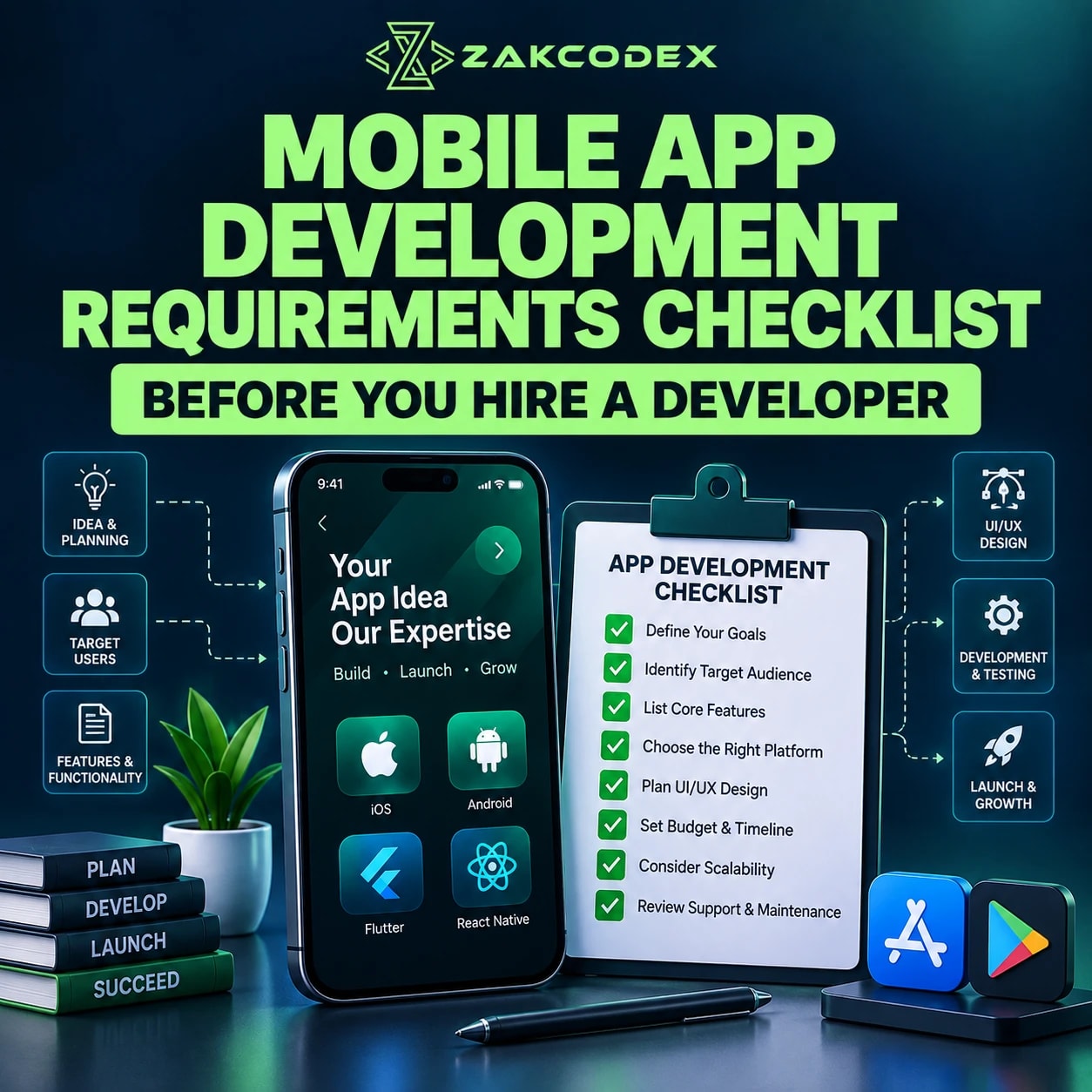

Before hiring a mobile app developer, define your business goal, target users, platforms, core features, user roles and design expectations. Document backend needs, integrations, security, budget, timeline, ownership and maintenance responsibilities. These mobile app development requirements let developers assess the complete system rather than estimate from a screen list.
You do not need every technical decision settled. You do need clear priorities and a record of unanswered questions. When comparing mobile app development services, share the same brief with each supplier so scope, assumptions and exclusions can be compared fairly.
What are mobile app development requirements?
Mobile app requirements describe the outcomes, behaviour and constraints a product must satisfy. An idea explains the opportunity; requirements explain what is needed. Scope selects what will be delivered, while a specification adds detail that designers and developers can test.
| Category | Example |
|---|---|
| Business | Reduce manual appointment administration |
| Functional | Customers can reschedule eligible bookings |
| Technical | Availability synchronises with an existing booking system |
| Design | Booking works with large text and screen readers |
| Operational | Support staff can investigate failed reservations |
What should the development checklist cover?
A mobile app development checklist should cover customer-facing features and the systems needed to operate them. The following questions expose dependencies that commonly affect estimates.
| Requirement | What You Need to Define | Why It Matters |
|---|---|---|
| Business goal | Problem and success measure | Guides priorities |
| Target users | Needs, markets and devices | Shapes usability |
| Platforms | iOS, Android or web priorities | Defines delivery scope |
| Features | Launch essentials and exclusions | Controls complexity |
| User roles | View, edit and approval rights | Defines access |
| User journeys | Steps and failure paths | Reveals missing behaviour |
| UX/UI | Brand, layouts and accessibility | Sets design work |
| Backend | Shared data and business logic | Shapes architecture |
| Integrations | Systems, APIs and owners | Exposes dependencies |
| Admin panel | Operational tasks and permissions | Avoids hidden scope |
| Security | Data risks and controls | Protects users |
| Budget | Build and recurring allowances | Supports trade-offs |
| Timeline | Deadline and dependencies | Supports realistic planning |
| Testing | Devices and acceptance criteria | Defines completion |
| Ownership | Code, designs and accounts | Supports continuity |
| Maintenance | Support and update responsibilities | Keeps the product operable |
How should goals and users shape the brief?
Describe the problem, the people affected and the outcome that would justify the app. “An app like X” does not identify your operating rules or differentiation. Reference apps are useful when accompanied by specific observations.
Record user pain points, behaviour, geography, relevant demographics and accessibility needs. Identify typical devices and connectivity. For example, field employees with intermittent coverage need different journeys and data synchronisation from customers booking at home.
Which platforms and technologies should you specify?
Specify platform priorities and constraints before selecting a framework. Audience devices, performance requirements and budget should inform the mobile app technology stack. A developer can help evaluate the final architecture.
| Approach | Decision consideration |
|---|---|
| Native mobile development | Consider platform-specific experiences and device integrations |
| Cross-platform development | Assess shared code alongside platform-specific work and testing |
| Mobile web or PWA | Assess browser delivery against required device capabilities |
If both platforms matter, Flutter app development and React Native development are options to evaluate. Neither removes the need to validate iOS and Android behaviour.
How do you define features, roles and an MVP?
Prioritise features around one complete user problem, then specify who can perform each action. An MVP delivers a limited but usable outcome. The full product adds breadth; it should not be the baseline for every first release.
| Priority | Booking-app example |
|---|---|
| Must-have | Find availability, book and receive confirmation |
| Should-have | Reschedule within agreed rules |
| Nice-to-have | Save favourite providers |
| Future | Loyalty rewards and advanced recommendations |
Review registration, social login, profiles, search, filters, messaging, notifications, payments, subscriptions, reviews, maps, camera access and uploads individually. Offline functionality needs rules for cached data, queued changes and conflicts. Validate the MVP through feedback without weakening essential security or reliability.
Create a permissions matrix for guests, customers, employees, vendors, managers and administrators. Define what each can see, create, edit, delete or approve. Enforce rights server-side where applicable; hiding a button is insufficient.
What should user journeys and designs explain?
A feature list names capabilities; a journey describes their sequence and exceptions. Map registration, login, onboarding, discovery, payment, account management, notifications, support, logout and deletion. Include declined payments, empty results and denied permissions.
Wireframes are helpful but not mandatory before hiring. If designs do not exist, provide brand guidelines, colours, typography, reference screens and design responsibilities. Mobile app design may include low-fidelity layouts, polished UI, a design system and an interactive prototype.
Specify accessibility and layouts across supported screen sizes. A prototype can expose confusing navigation before development; it does not demonstrate backend reliability.
Does the app need a backend or admin panel?
A backend is needed when the product depends on shared data, central business rules or server-side services. A standalone local utility may not need one. The visible mobile interface is often only part of the system.
| Component | Responsibilities to specify |
|---|---|
| Mobile app | Interaction, device capabilities and local state |
| Backend | APIs, database, accounts, business logic, storage and notifications |
| Admin panel | Users, content, orders, bookings, moderation, support and configuration |
Real-time chat affects backend connections, message storage and notifications. Payments need server-side verification and failure handling. Administrative transaction review, reports and approval permissions must be scoped explicitly rather than assumed to arrive with the customer app.
What integration and data details are necessary?
List every external service and describe the data moving through it. For each mobile app integration, record its owner, documentation, test access, authentication, limits, charges and failure behaviour. Identify unresolved access dependencies before estimating.
Examples include payments, maps, SMS, email, push notifications, social login, CRM, ERP, accounting, analytics, AI APIs and existing company software. Clarify which system is authoritative when records disagree.
Document collected fields, sources, database needs and migration from existing systems. Include images, documents, location and personal information. Define retention, backups, restoration and deletion across devices, servers and relevant third parties.
What security, performance and analytics requirements matter?
Set measurable operating expectations and security controls during planning. Retrofitting them can change architecture. The OWASP Mobile Application Security Verification Standard provides a reference for specifying and verifying mobile security controls.
Cover authentication, authorisation, secure password handling, encryption, API communication and multi-factor authentication where appropriate. Protect payment details, credentials and sensitive logs. Define account deletion and assess applicable UK GDPR obligations using ICO guidance; requirements depend on the data and processing.
Estimate active and concurrent users, geographic reach, media volume, traffic spikes and real-time usage. Agree response-time targets under stated device and network conditions. These assumptions influence storage, caching and infrastructure choices.
Plan mobile app analytics for acquisition, sign-ups, retention, conversion, purchases, subscriptions, feature use and funnels. Include crashes and performance. Define event names and privacy handling before implementation so business KPIs are measurable.
How do monetisation, budget and timing affect scope?
Monetisation changes payment flows, entitlement rules and store-policy requirements. Choose whether the app uses paid access, subscriptions, in-app purchases, commission, transaction fees, advertising, freemium, ecommerce, lead generation or no direct revenue.
Review the applicable Apple App Review Guidelines before finalising payment flows. Requirements vary with the product, market and distribution arrangement; a generic payment-gateway assumption is insufficient.
The mobile app development budget should separate discovery, UX/UI, mobile code, backend, admin, integrations and testing from recurring cloud, store-account, third-party and maintenance costs. Include future updates and clarify exclusions.
A desired launch date is a business target; an estimate predicts effort; a delivery plan accounts for dependencies. Platforms, design readiness, integration access, feedback, QA and store review affect timing. Avoid fixing a launch commitment before these assumptions are understood.
What must be agreed about ownership, testing and release?
Agree ownership and acceptance responsibilities before signing, then plan deployment and support explicitly. Payment alone should not be treated as proof of transferred IP. UK copyright guidance explains the distinction for commissioned work.
Define code and design-file rights, repository access, documentation and handover. Clarify control of domains, cloud accounts, Apple and Google developer accounts, third-party accounts and API credentials. Review pre-existing components and licences.
Name the QA owner and business acceptance owner. Include functional, integration, security, performance and regression testing on agreed iOS and Android devices. Test user journeys, track defects and establish acceptance criteria.
For mobile app deployment, assign responsibility for metadata, screenshots, privacy disclosures, permissions, review access and release management. Google's Data safety guidance explains disclosure preparation. Recheck current store requirements before submission; approval timing is not entirely within the developer's control.
Plan maintenance for bugs, OS compatibility, dependencies, security patches, backend infrastructure, API changes and store updates. Agree monitoring, support expectations and feature-change pricing. Launch begins operation rather than ending responsibility.
What questions should you ask a developer?
Ask for evidence of delivery capability and clear responsibility boundaries. Whether you plan to hire an app developer in the UK or elsewhere, evaluate the proposed team and handover arrangements.
- Who will build the app, UX/UI and backend, and what comparable work have they delivered?
- How are progress, scope changes, security and QA managed?
- Where is the repository, who owns the assets, and what documentation is included?
- Who manages submission, maintenance and incidents, and which costs are separate?
What should your requirements document contain?
Send one versioned mobile app requirements document with priorities, assumptions and open questions. This improves estimate comparability. Use the following structure as a compact pre-quote checklist.
- Project overview, business objective and problem statement.
- Target users, platforms, roles and core features.
- User journeys, designs, branding and reference apps.
- Backend, admin, integrations and existing systems.
- Data, security, performance and technical constraints.
- Analytics, monetisation, MVP scope and future features.
- Budget, target date, dependencies and approval process.
- Testing, deployment, maintenance, ownership and handover.
Mark unknowns for discovery instead of inventing technical answers. A useful app requirements specification makes decisions and exclusions visible, giving both the business and developer a sound basis for planning.