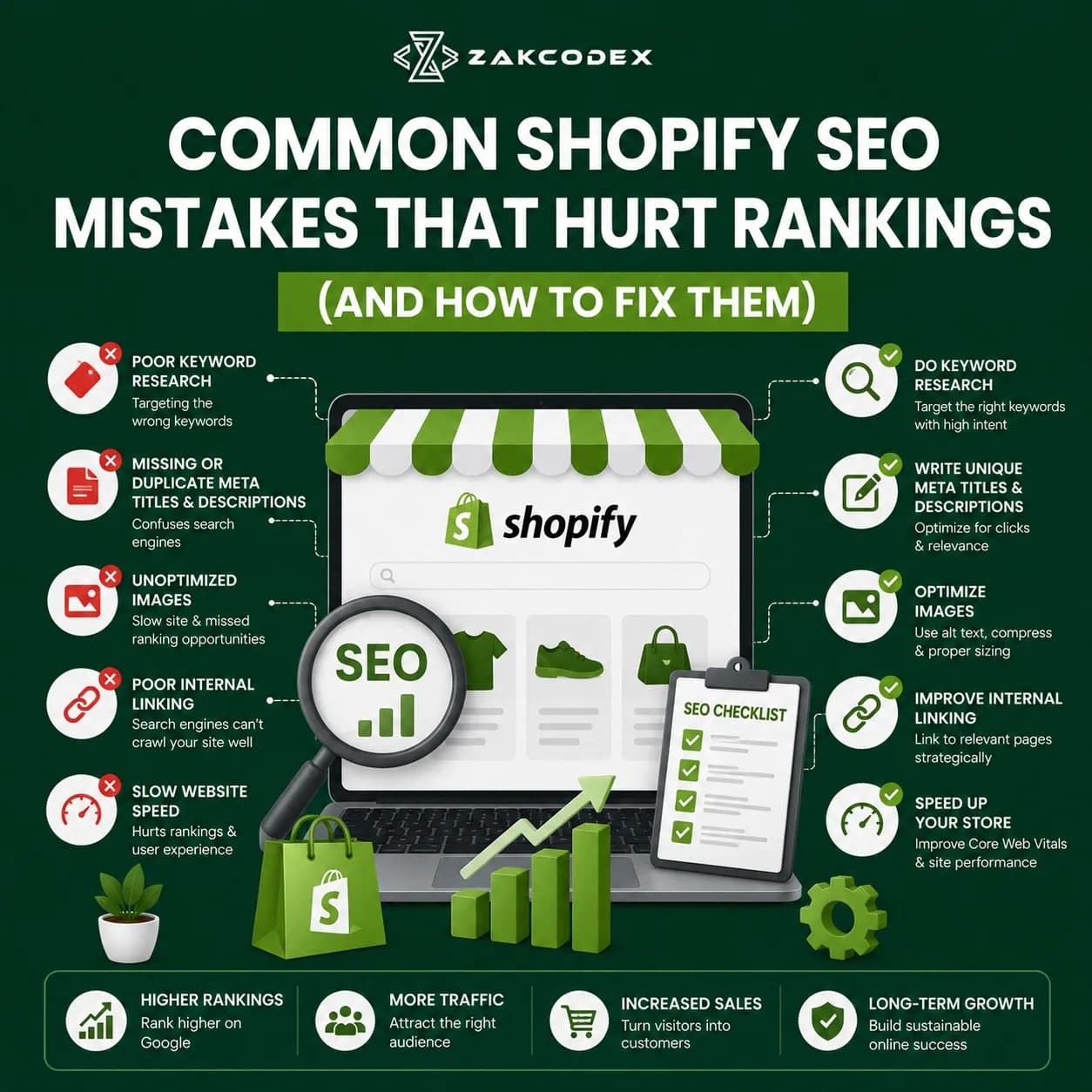
Shopify is one of the most powerful eCommerce platforms available today. Thousands of online stores rely on Shopify because of its flexibility, ease of use, and scalability. However, many Shopify store owners unknowingly make SEO mistakes that prevent their websites from reaching their full organic traffic potential.
Even the most visually appealing Shopify store can struggle to rank if technical SEO, on-page optimization, content structure, and user experience are neglected.
In this guide, we'll explore the most common Shopify SEO mistakes that hurt rankings and provide actionable solutions to help improve your visibility in Google Search, AI-powered search engines, and modern answer engines.
If you're building or optimizing an online store, professional Shopify development plays a crucial role in ensuring SEO success. Businesses looking for expert Shopify solutions can explore Shopify Web Development Services for customized development and optimization.
Why Shopify SEO Matters
Search engine optimization helps Shopify stores:
- Increase organic traffic
- Improve search visibility
- Generate qualified leads
- Lower customer acquisition costs
- Improve conversion rates
- Enhance user experience
Search engines evaluate hundreds of ranking signals, including site speed, content quality, mobile usability, internal linking, structured data, and page relevance.
Ignoring these factors can significantly impact rankings and revenue.
1. Using Duplicate Product Descriptions
One of the biggest Shopify SEO mistakes is copying manufacturer descriptions.
Many store owners simply paste supplier content onto product pages. Since hundreds of websites often use the same content, search engines struggle to determine which page deserves to rank. Duplicate content weakens uniqueness and can reduce ranking potential.
How to Fix It
Create unique product descriptions that include:
- Product benefits
- Features
- Use cases
- Customer pain points
- Frequently asked questions
- Semantic keywords
Example
Instead of:
"Premium leather wallet with multiple compartments."
Use:
"This premium genuine leather wallet features RFID protection, multiple card slots, and a slim design ideal for everyday use."
2. Ignoring Shopify's Duplicate URL Issues
Shopify automatically generates multiple URLs for the same product through collections, filters, tags, and sorting options. This can create duplicate content challenges and dilute ranking signals.
Common Examples
- /products/product-name
- /collections/sale/products/product-name
- /collections/new-arrivals/products/product-name
How to Fix It
- Use canonical tags properly
- Monitor indexing through Google Search Console
- Avoid creating unnecessary duplicate pages
- Audit apps that modify URL structures
3. Poor Collection Page Optimization
Many Shopify stores leave collection pages with only product listings and no supporting content.
Collection pages often rank for high-volume commercial keywords. When these pages lack content, search engines struggle to understand their relevance.
How to Fix It
Add:
- Optimized collection descriptions
- Category FAQs
- Semantic keywords
- Internal links
- Buying guides
Example
Instead of:
"Men's Shoes"
Use:
"Explore our collection of men's running shoes, casual footwear, sneakers, and athletic shoes designed for comfort and performance."
4. Weak Internal Linking Structure
Internal linking is often overlooked in Shopify SEO.
Many stores rely solely on navigation menus, missing opportunities to distribute authority throughout the website. Strong internal links help search engines discover important pages and improve topical relevance.
Best Practices
Link from:
- Blog posts to product pages
- Collection pages to products
- Related products
- Buying guides
- FAQ pages
For example, businesses looking for advanced Shopify store development can learn more about ZakCodeX.
5. Slow Website Speed
Page speed directly impacts rankings, user experience, and conversions.
Many Shopify stores become slow because of:
- Large images
- Excessive apps
- Unoptimized themes
- Third-party scripts
Slow-loading websites increase bounce rates and reduce engagement.
How to Fix It
- Compress images
- Remove unused apps
- Minify JavaScript
- Use modern image formats
- Optimize theme code
SEO Entity Terms
- Core Web Vitals
- Largest Contentful Paint (LCP)
- First Input Delay (FID)
- Cumulative Layout Shift (CLS)
6. Missing Meta Titles and Meta Descriptions
Many Shopify stores either leave metadata blank or use duplicate metadata across pages.
This reduces click-through rates and weakens keyword relevance.
Best Practices
Meta Title:
- Include primary keyword
- Keep under 60 characters
Meta Description:
- Include secondary keywords
- Stay under 160 characters
- Add a call to action
Example:
Meta Title:
Common Shopify SEO Mistakes That Hurt Rankings
Meta Description:
Learn the most common Shopify SEO mistakes and discover proven strategies to improve rankings, traffic, and conversions.
7. Poor Image Optimization
Images are essential for eCommerce SEO.
However, many Shopify websites upload large images without optimization and ignore alt text. Missing alt text limits image search visibility and accessibility.
Optimization Checklist
- Use descriptive filenames
- Compress images
- Add keyword-rich alt text
- Use WebP format
- Enable lazy loading
Example:
Bad:
IMG12345.jpg
Good:
black-leather-wallet-rfid-protection.jpg
8. Not Using Structured Data (Schema Markup)
Schema markup helps search engines understand page content.
Without structured data, your store may miss rich results such as:
- Product ratings
- Prices
- Availability
- FAQs
Many Shopify stores fail to implement advanced schema beyond basic theme settings.
Recommended Schema Types
- Product Schema
- FAQ Schema
- Breadcrumb Schema
- Organization Schema
- Review Schema
9. Ignoring Mobile SEO
Google primarily uses mobile-first indexing.
If your Shopify store isn't optimized for mobile devices, rankings and conversions may suffer.
Mobile SEO Checklist
- Responsive design
- Fast mobile loading
- Click-friendly buttons
- Mobile-friendly navigation
- Optimized checkout process
10. No Content Marketing Strategy
Many Shopify stores focus only on product pages and ignore informational content.
Content marketing helps attract users during the awareness and consideration stages of the buying journey. Multiple Shopify SEO audits show that stores with blogs and educational content gain more opportunities for organic visibility.
Content Ideas
- Buying guides
- Product comparisons
- Industry trends
- Tutorials
- FAQs
- Case studies
Example Topics:
- How to Choose the Right Running Shoes
- Best Materials for Leather Wallets
- Beginner's Guide to Smart Watches
Shopify SEO Best Practices Checklist
Before publishing any Shopify page, ensure:
- Unique content
- Optimized title tags
- Meta descriptions
- Internal links
- Structured data
- Fast loading speed
- Mobile optimization
- Optimized images
- Canonical tags
- Keyword-focused URLs
- Collection page content
- FAQ sections
How Professional Shopify Development Improves SEO
Technical SEO issues often originate from poor site architecture, theme customization, and coding practices.
Working with experienced Shopify developers ensures:
- Better Core Web Vitals
- Clean code structure
- SEO-friendly navigation
- Advanced schema implementation
- Conversion optimization
- Mobile responsiveness
Businesses looking to improve their Shopify store's SEO foundation can benefit from professional Shopify development solutions offered through Shopify Web Development Services.
Final Thoughts
Shopify provides an excellent foundation for eCommerce success, but SEO mistakes can significantly limit growth. Duplicate content, weak internal linking, slow page speed, poor metadata, and missing schema markup are among the most common issues holding Shopify stores back.
By addressing these problems and implementing a comprehensive SEO strategy, Shopify store owners can improve search visibility, increase organic traffic, and generate more revenue.
Whether you're launching a new store or optimizing an existing one, investing in quality development and SEO best practices can create long-term competitive advantages. For businesses seeking expert Shopify solutions, ZakCodeX offers professional Shopify development services designed to support performance, scalability, and SEO success.